Shenzhen Sincevision Technology Co.Ltd
www.cnsszn.com
20
/
43
Quick Start Guide of SR Series ©2021 SSZN All Right Reserved
7 Software Connection
7.1 Install EdgeImaging software
1. The required computer environment is as follows
:
Core i5 2.3 GHz or higher
Ethernet 1000BASE-T/100BASE-TX
XGA(1024*768 pixels)or more,256-color or more
Windows 10 32/64bit Professional/Enterprise
Windows 8.1 32/64bit Professional/Enterprise
Windows7 32/64bit Professional/Ultimate
2. Obtain the installation package of EdgeImaging software from the manufacturer.
3. Enter the windows system
,
double click the installation package of EdgeImaging.
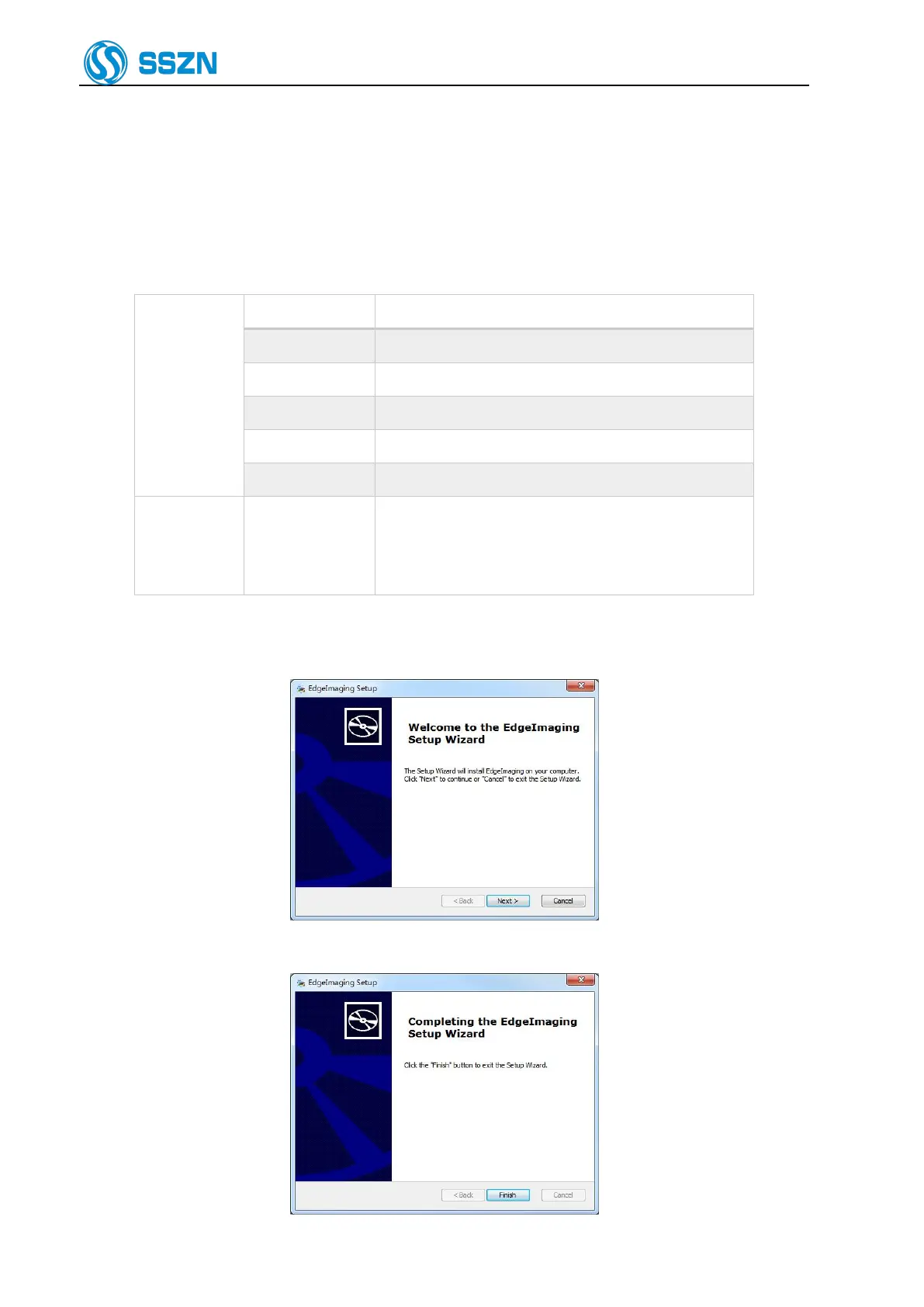
4. Follow the steps in the installation wizard.
Figure 7- 1
5.
On the Finish
page, click Finish to exit. Then, the EdgeImaging software is installed successfully.
Figure 7- 2



 To Next Page