Shenzhen Sincevision Technology Co.Ltd
www.cnsszn.com
10
/
43
Quick Start Guide of SR Series ©2021 SSZN All Right Reserved
Make sure that the connector plug and the cable within a minimum of 70mm remain relatively
static with the camera.
6 Hardware Connection
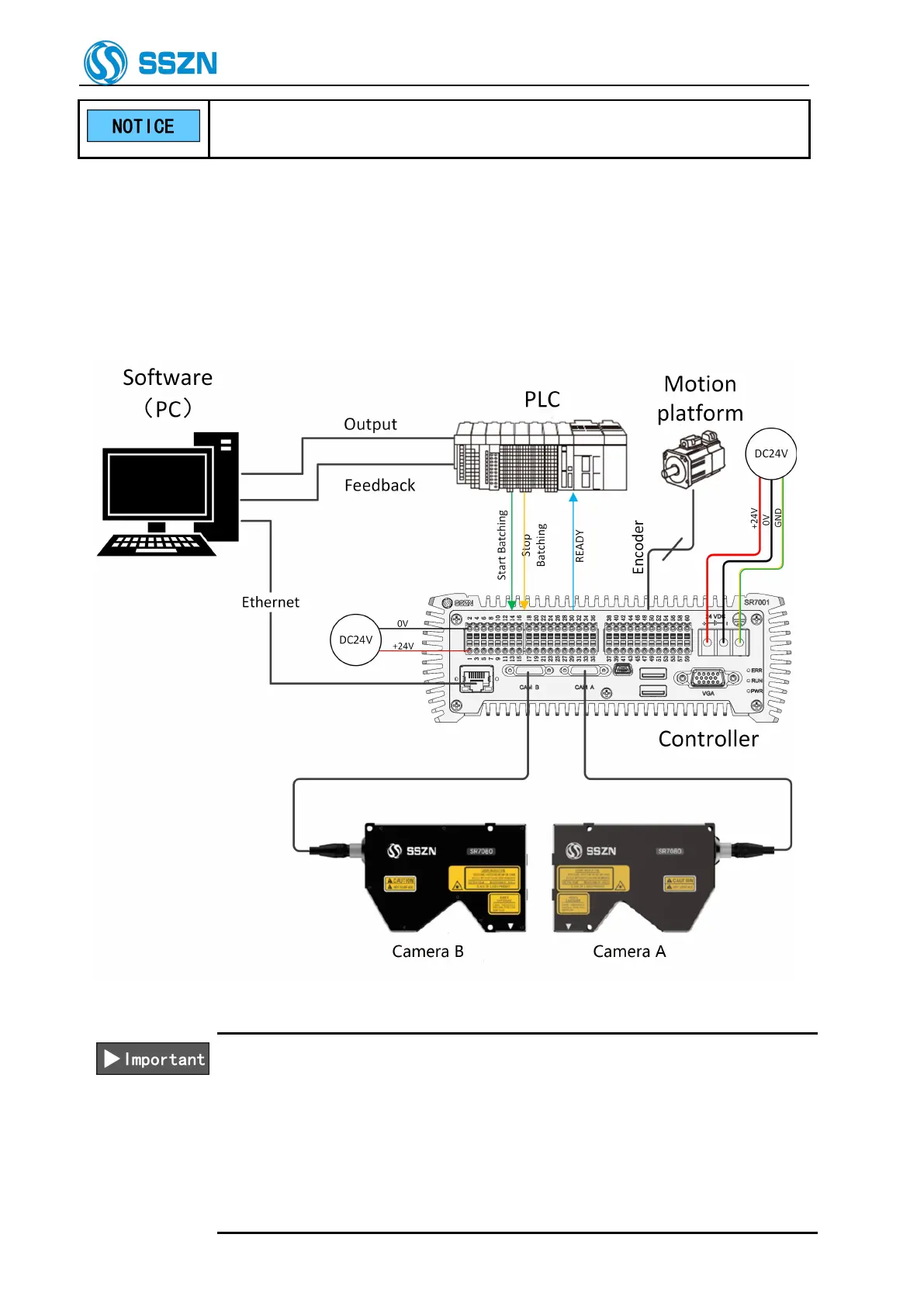
6.1 System Connecting Diagram
Figure 6- 1 System Connecting Diagram
Always make sure to switch OFF the controller before connecting or removing
cables. Connecting or removing cables with the controller switched ON may
result in a malfunction.
Plug in the connector after making sure its orientation is correct. Inserting the
connector in the wrong orientation may break the connector pins and result in
a malfunction.
Only one camera controller can be connected to an encoder output; When



 To Next Page