Executing and debugging firmware using a software toolchain UM1671
14/19 DocID025194 Rev 1
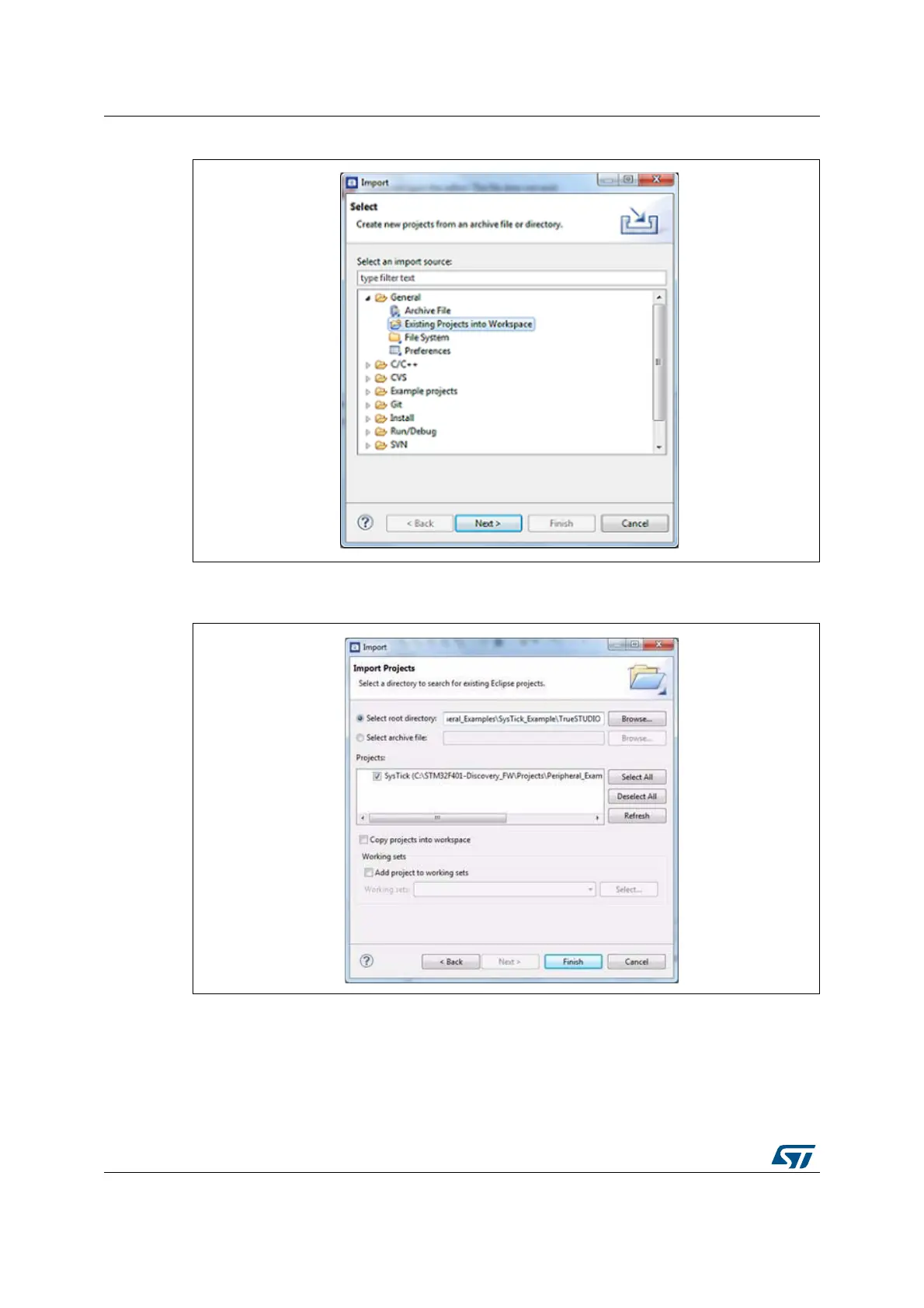
Figure 14. TrueSTUDIO import source select dialog box
5. Click Select root directory; then browse to the TrueSTUDIO workspace folder.
Figure 15. TrueSTUDIO import projects dialog box
6. In the Projects panel, select the project and click Finish.
7. In the Project Explorer, select the project, open the Project menu, and click Build
Project.
8. If your project is successfully compiled, the following messages display on the Console
window.






 To Next Page