DocID025194 Rev 1 9/19
UM1671 Executing and debugging firmware using a software toolchain
18
2 Executing and debugging firmware using a software
toolchain
This section describes how to compile/link and execute an existing project using the
toolchains.
The steps below can be applied to an already existing example, demonstration or template
project available at STM32F401-Discovery_FW_VX.Y.Z firmware available at
www.st.com/stm32f4-discovery.
First of all, you need to go through the firmware readme.txt file which contains a description
of the firmware and hardware/software requirements.
2.1 EWARM toolchain
1. Open the IAR Embedded Workbench® for ARM (EWARM).
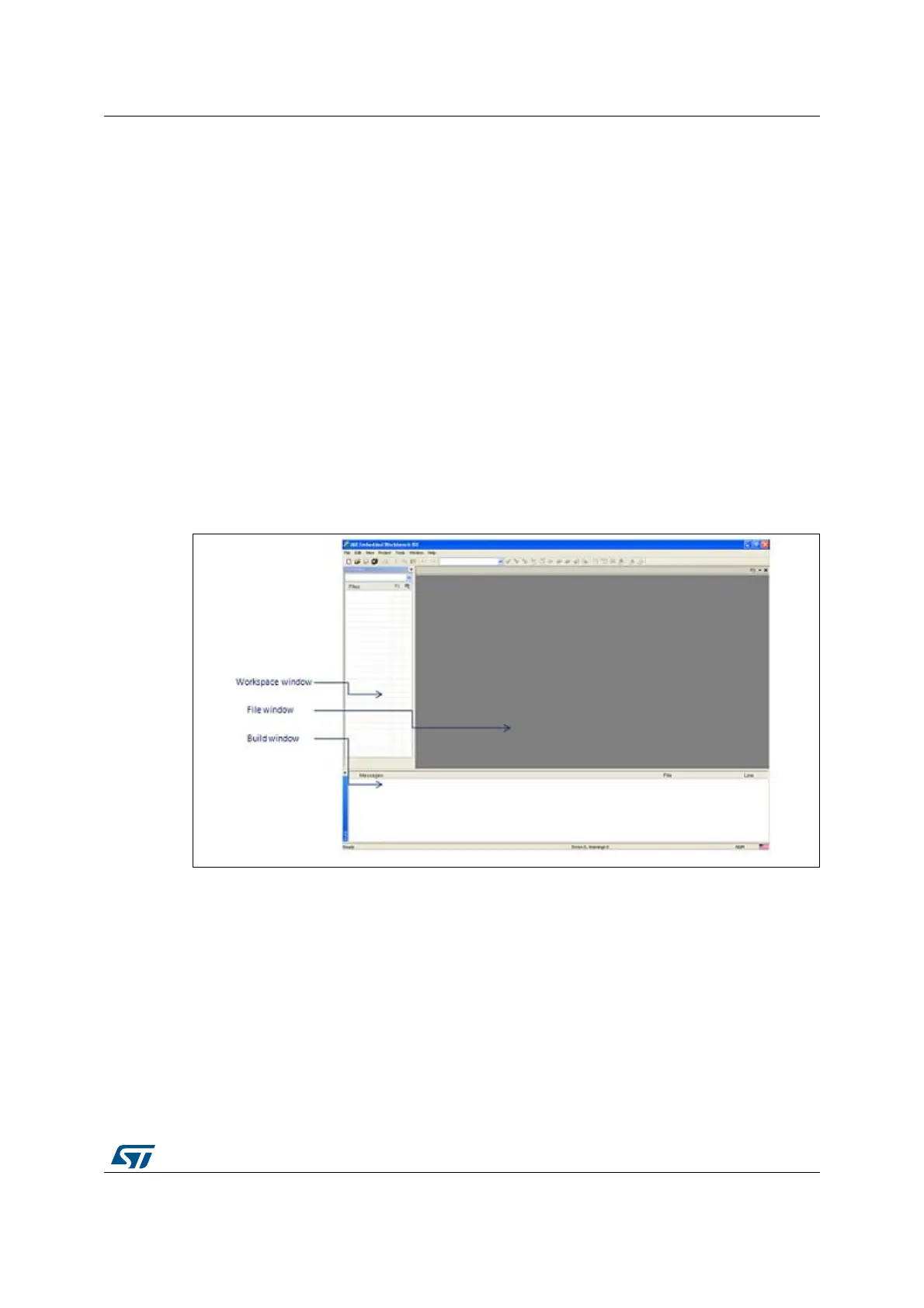
Figure 3 shows the basic names of the windows referred to in this document.
Figure 3. IAR Embedded Workbench IDE
2. In the File menu, select Open and click Workspace to display the Open Workspace
dialog box. Browse to select either an example or demonstration or template
workspace file, and click Open to launch it in the Project window.
3. In the Project menu, select Rebuild All to compile your project.
4. If your project is successfully compiled, the window shown in Figure 4 is displayed.






 To Next Page