GETTING STARTED
INSTALLING THE BATTERY
When you rst receive your safe you will need to
open the door with the key in order to install. A
baery is included and is located in the top of
the Styrofoam packaging.
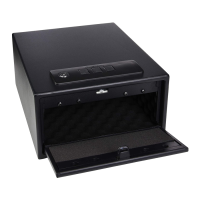
To open the safe, insert key into lock and turn
counter clockwise until the holster
compartment automatically opens.
To access the baery compartment you will
need to open the holster compartment
completely.
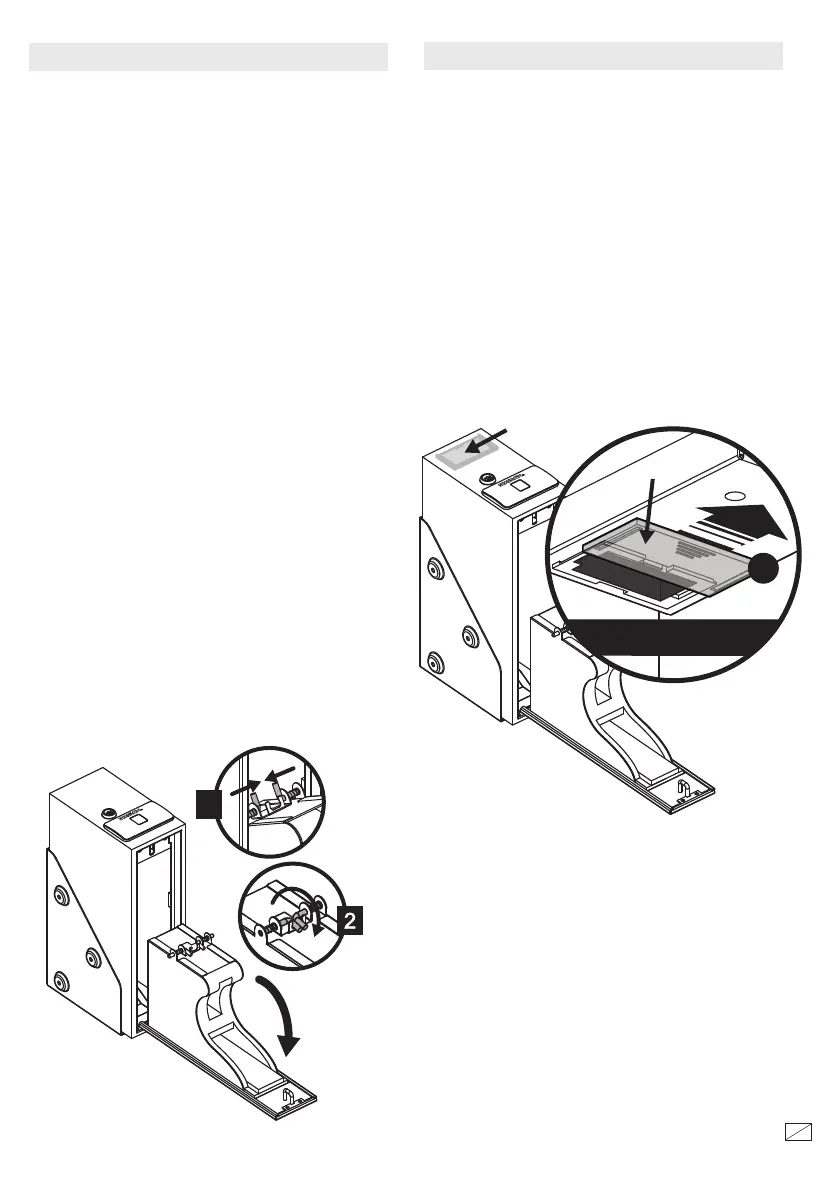
At the very back of the compartment you will
see two L shaped brackets. Rotate the L
brackets towards the top of the safe, so they are
released from the guides en squeeze the two
brackets together so they almost meet - this will
immediately release the compartment from the
sides of the safe body as shown in gure 1. Let
the holster compartment open all the way.
Rotate the L brackets back so they are at
against the back of the holster compartment as
shown in gure 2.
NOTE: Leave the key in the lock while you
install the baeries.
is safe uses 4 AAA alkaline baeries. Under
normal use the baeries will last about a year.
NOTE: If the baeries are low the indicator light
will ash blue when you start scanning. Replace
with 4 new AAA alkaline baeries as shown.
Locate the baery compartment at the very
back of the top of the safe, slide o the baery
cover.
40667-1512
2
15
Inside safe
Battery
NOTE: is key has also be provided in case
the baeries run low. If you lose your key,
you may purchase a replacement key by
referencing the serial number located on the
front of the door. See section regarding
replacement keys for further information.
Battery Cover
4
1



 To Next Page