12
5. Specific Operation Manual
5. Specific Operation Manual
5.1 System Initiation
Turn on Power
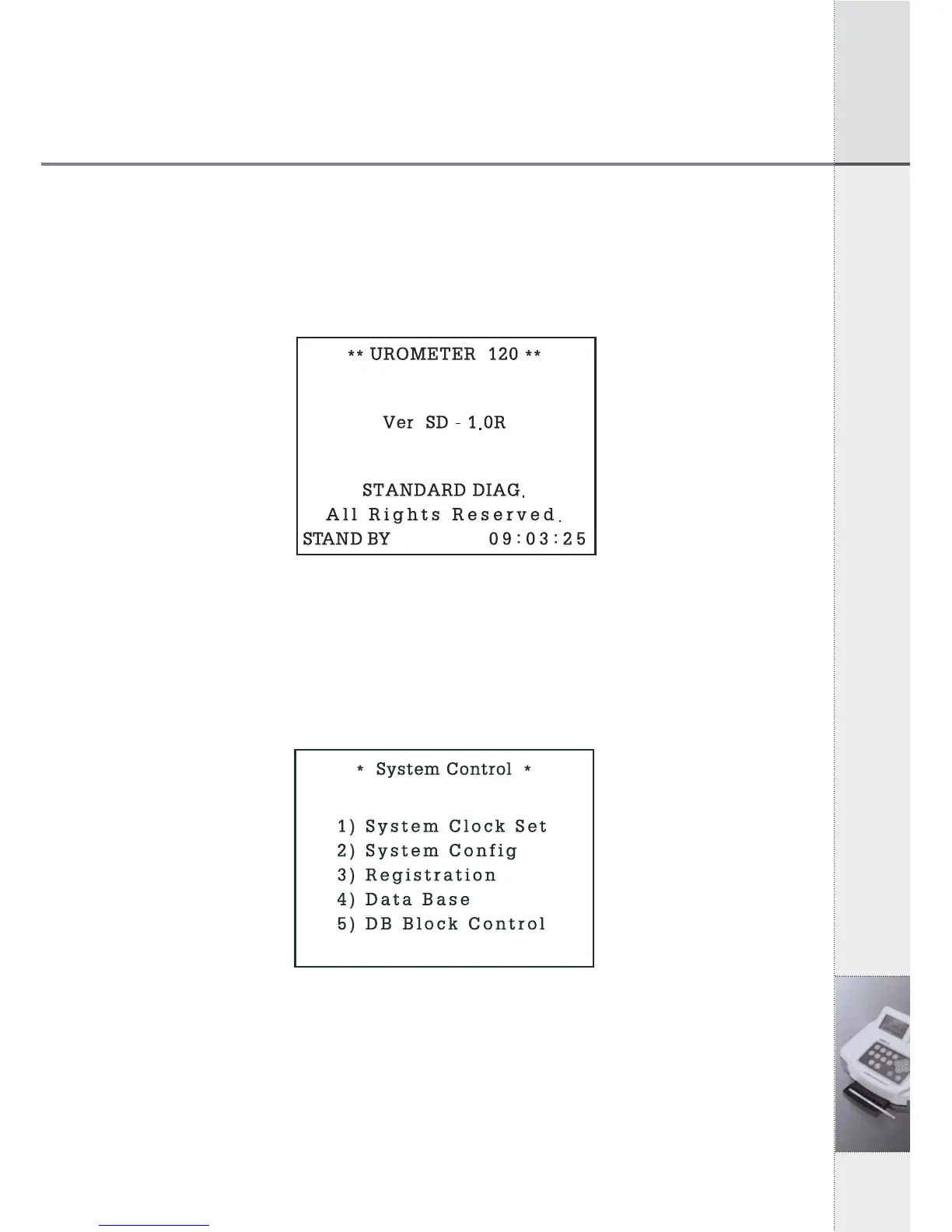
Stand By Mode, and auto calibration
[Fig 5.1] Stand By Mode
5.2 System Control
In Stand by Mode of [Fig.5.1], Press 2 times of "ESC" and then
System Control status of [fig. 5.2] will be shown.
[Fig 5.2] System Control
5.3 System Clock Set
1) In System Control Mode of [Fig 5.2], press ① key and System
Clock Set Mode of [Fig 5.3] will be shown as below.


 To Next Page