15
5. Specific Operation Manual
5. Specific Operation Manual
5.6 Printing Paper Loading
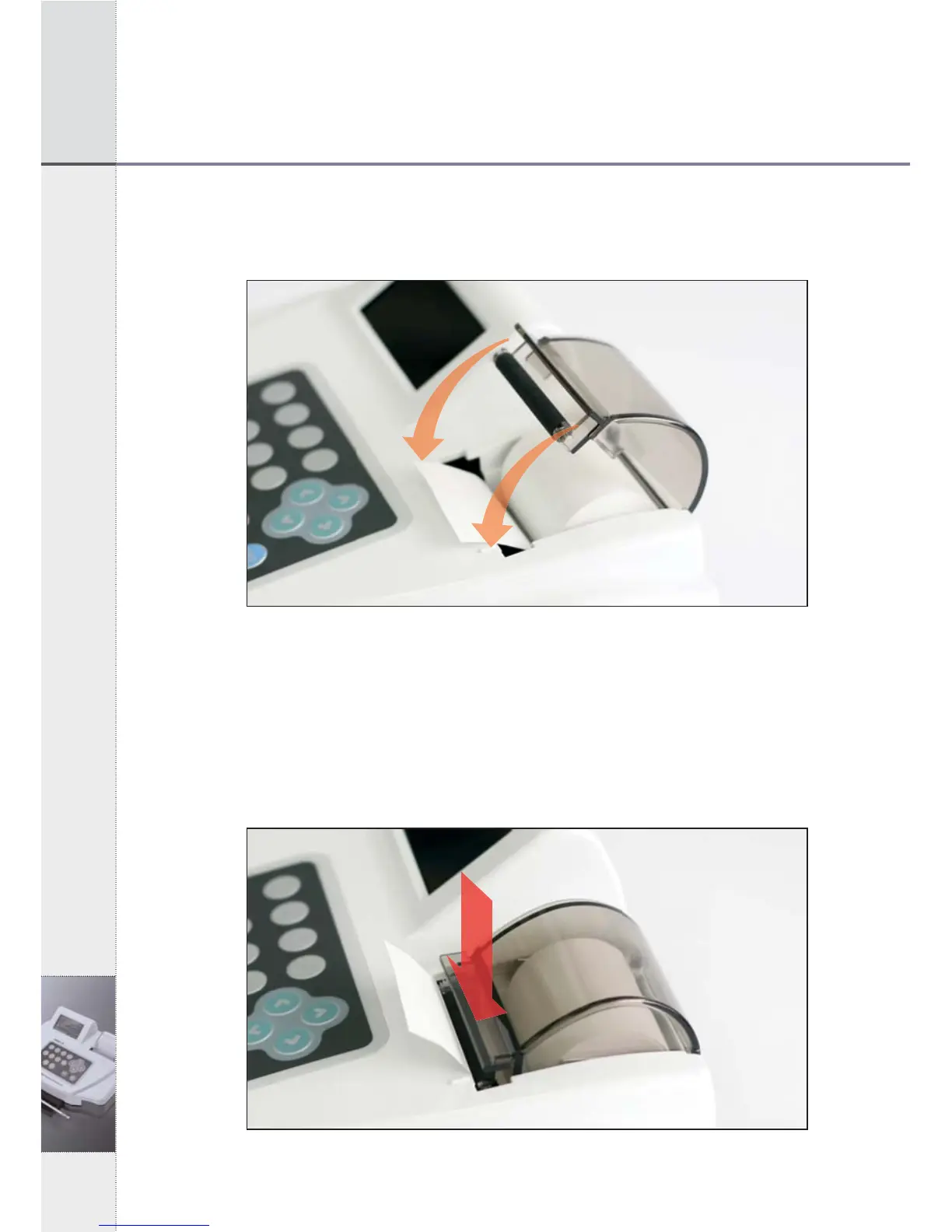
Open the cover and put roll paper.
[Fig 5.5] Paper Loading
1) Adjust both center projections to each hole of printing paper
loading part of instrument, facing a rubber roller.
2) Pull the printer lever at an angle of 90°, facing you. Push the
printing paper into the printer head.3) In 2 seconds, the
instrument recognizes the printing paper and initiates the paper’s
proper position, automatically.
[Fig 5.6] Loading of Printing Paper


 To Next Page