13
5. Specific Operation Manual
5. Specific Operation Manual
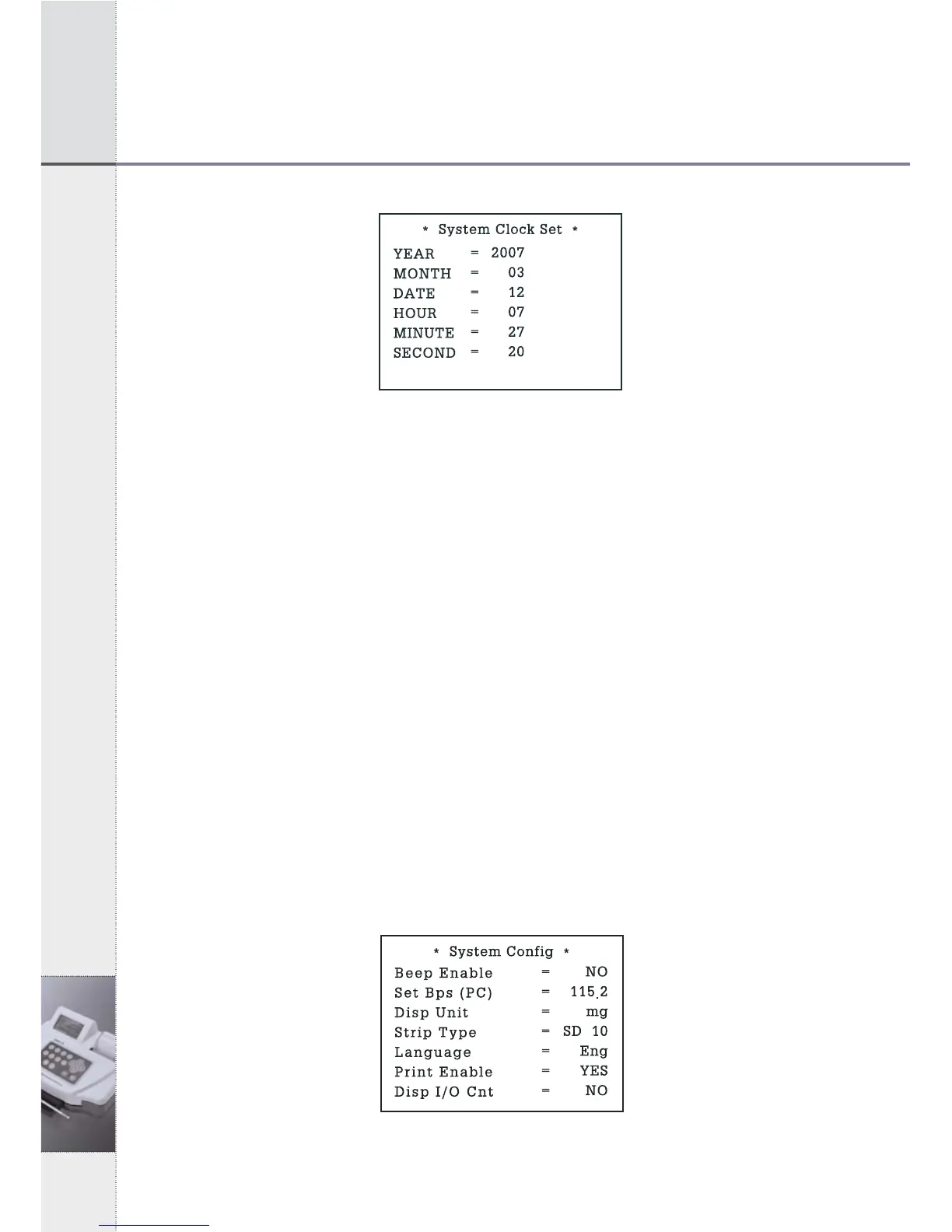
[Fig 5.3] System Clock Set
2) In the System Clock Set Mode, you can move to each item by using
up/down (▲▼) keys and adjust the time by using left/right (◀▶) keys.
3) After adjusting local time, press ENT key for setting done. Date
changes automatically along setting time.
5.4 System Calibration (Internal Quality Control)
1) The system of UroMeter 120 calibrates automatically, every time you
turn power switch on. There is no need to check the system
particularly.
2) When you turn on the power switch, system checking and calibration
will be performed automatically.
5.5 System Configuration
1) In System Control Mode of [Fig 5.2], press "2" key and System
Configuration Mode of [Fig 5.4] will be shown as below. You can
move to each item by using up/down (▲▼) keys and select by
using left/right (◀▶) keys.
[Fig 5.4] System Configuration


 To Next Page