20
5. Specific Operation Manual
2) In part ⓒ, enter the data’s number you want to input. You can
move to each item by using up/down (▲▼) keys.
3) Press ENT key. You can review the data’s test result on LCD
display.
4) You can print out the result on the display by pressing ENT key,
once again.
- ⓐ shows the time of measurement.
- ⓑ shows the strip type.
- ⓒ shows data’s number saved in data base.
- Data base can save up to memory of 2,000 test results. When the
memory is full, all data will be transferred to main PC
automatically if PC and the UroMeter 120 instrument is
connected through RS232c cable. If they are not connected,
previously saved data will be erased on the “first in first out”
basis.
5) For the initiation of saved data, Set ‘9999’ in part ⓒ, and then
press ‘ENT’.
5.10 DB Block Control (Transferring and
reprinting saved data)
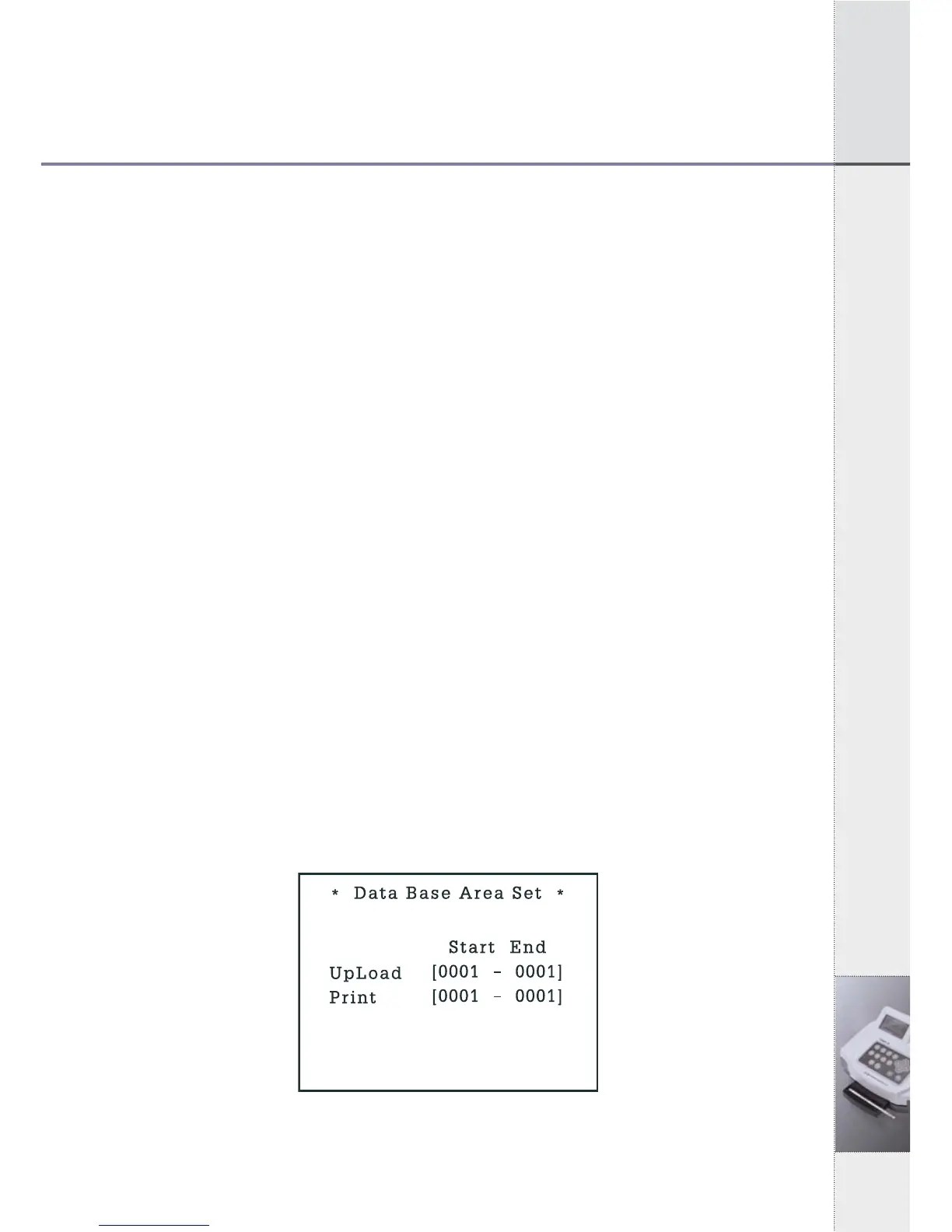
1) In System Control Mode, press ⑦ key and Data Base Block
Control Mode of [Fig 5.11] will be shown as below.
[Fig 5.11] Data Base Block Control Mode


 To Next Page