Home
StarTech.com
Print Server
PM1115U2
Page 21
StarTech.com PM1115U2 - Page 21
33 pages
Manual
Save Page as PDF
To Next Page
To Next Page
To Previous Page
To Previous Page
Loading...
20
T
o view manuals, videos, drivers, downloads, technical dra
wings, and more visit www.startech.com/support
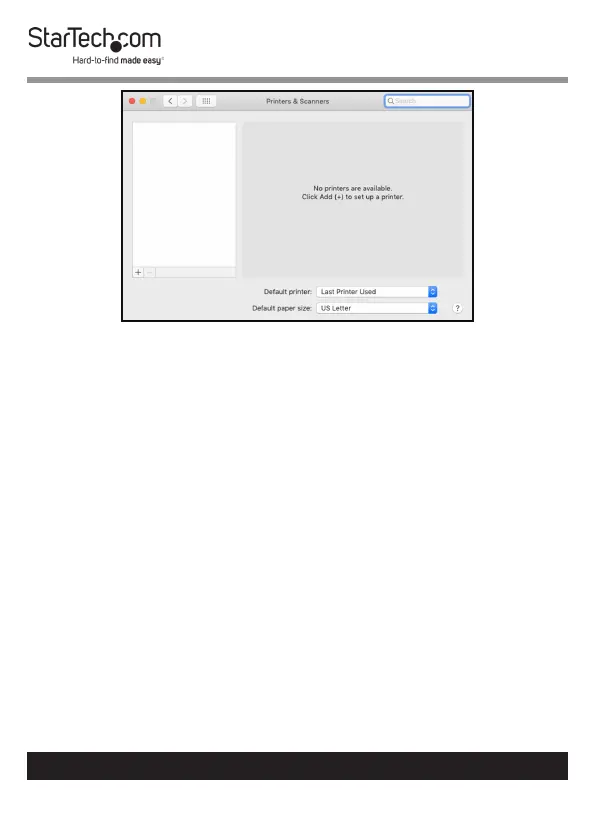
Printers & Scanner Screen
3.
The
Add
screen will appear
, if the printer appears on the
Default
tab
, select it and click the
Ad
d
button.
20
22
Table of Contents
Main Page
Compliance Statements
2
Safety Statements
3
Table of Contents
4
Product Diagram
6
Front View
6
Rear View
7
Product Information
8
Packaging Contents
8
System Requirements
8
Operating Systems
8
Hardware Installation
9
Installing the Power Adapter Clip
9
Removing the Power Adapter Clip
9
Connecting a Printer
10
Software Installation
10
Setting up the Print Server Using the Software
11
Manually Setting up the Print Server
14
Setting up a Printer in Windows
15
Setting up a Printer in Macos
20
Software Operation
24
Accessing the Web Interface
24
Changing the Screen Language
24
Viewing Server Information/Device Information
25
Viewing/Configuring Network Settings
26
Restarting a Device
28
Resetting the Device to Factory Settings
29
Creating/Changing a Password
30
Performing a Hard Factory Reset
24


 To Next Page