19
To view manuals, videos, drivers, downloads, technical drawings, and more visit www.startech.com/support
Setting Up a Printer in macOS
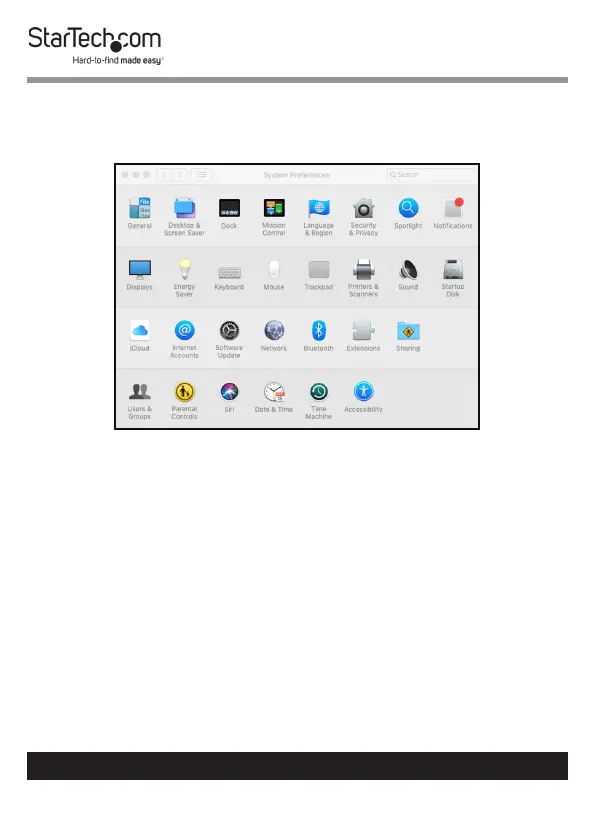
1. From the System Preferences screen, click on the Printers &
Scanners icon.
System Preferences Screen
2. The Printers & Scanners screen will appear, click the + icon
on the left side of the screen.


 To Next Page