29
To view manuals, videos, drivers, downloads, technical drawings, and more visit www.startech.com/support
Creating/Changing a Password
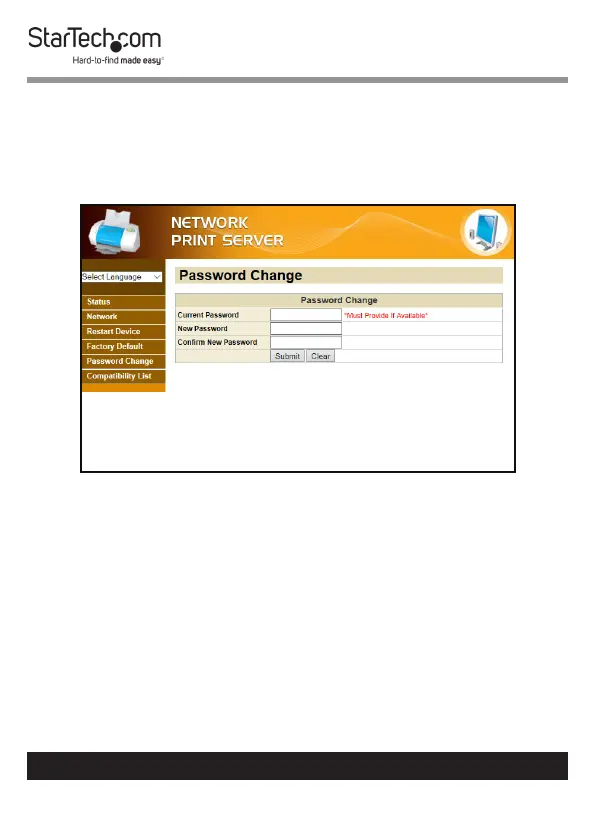
1. From any screen on the Network Print Server Web
Interface, click on the Factory Default Link.
2. The Factory Default screen will appear.
Password Change Screen
3. Enter the user dened password in the Current Password
eld. When creating a new password for the rst time leave
the Current Password eld blank.
4. Enter a new password in the New Password eld. The
password can contain alphanumeric and special characters
and is 1 - 20 characters in length.
5. Re-enter the new password in the Conrm New Password
eld.
6. Click the Submit button to create/reset the password.


 To Next Page