28
To view manuals, videos, drivers, downloads, technical drawings, and more visit www.startech.com/support
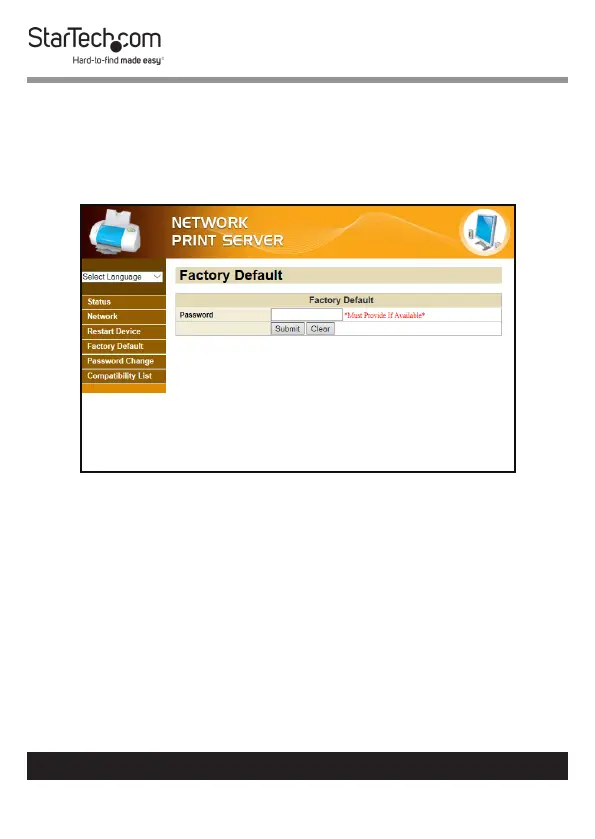
Resetting the Device to Factory Settings
1. From any screen on the Network Print Server Web
Interface, click on the Factory Default Link.
2. The Factory Default screen will appear.
Factory Default Screen
3. Enter the user dened password in order to reset the device
to factory defaults.
Note: If no password has been created a password is not
required to reset the device to factory defaults.
4. Click the Submit button to reset the device to factory
defaults.
5. Click the Clear button to clear a Password if one has been
entered in the Password eld.


 To Next Page