22
To view manuals, videos, drivers, downloads, technical drawings, and more visit www.startech.com/support
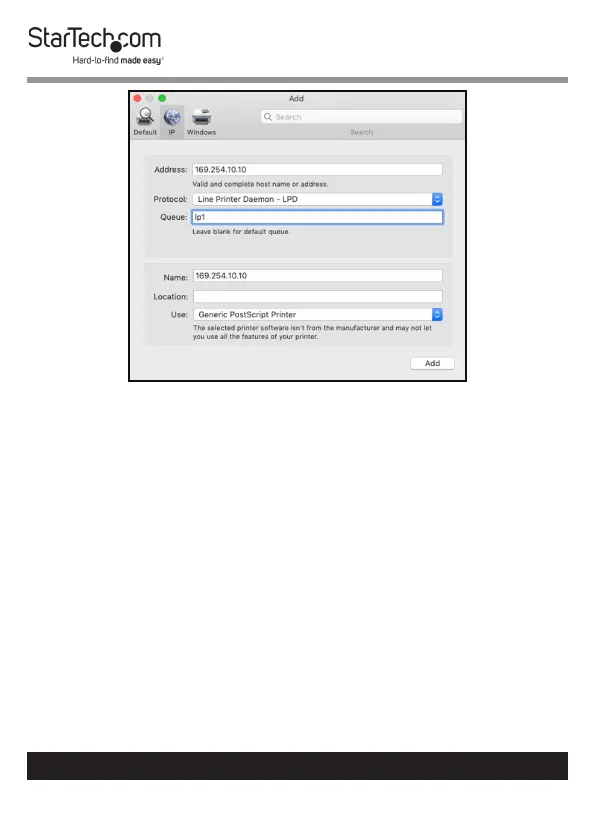
IP Screen
5. Enter the IP address of the Print Server in the Address eld.
6. Set the Protocol to Line Printer Daemon – LPD and Queue
as lp1.
7. The wizard should automatically attempt to detect the driver
needed for the printer. When it has settled on one, click the
Add button.


 To Next Page