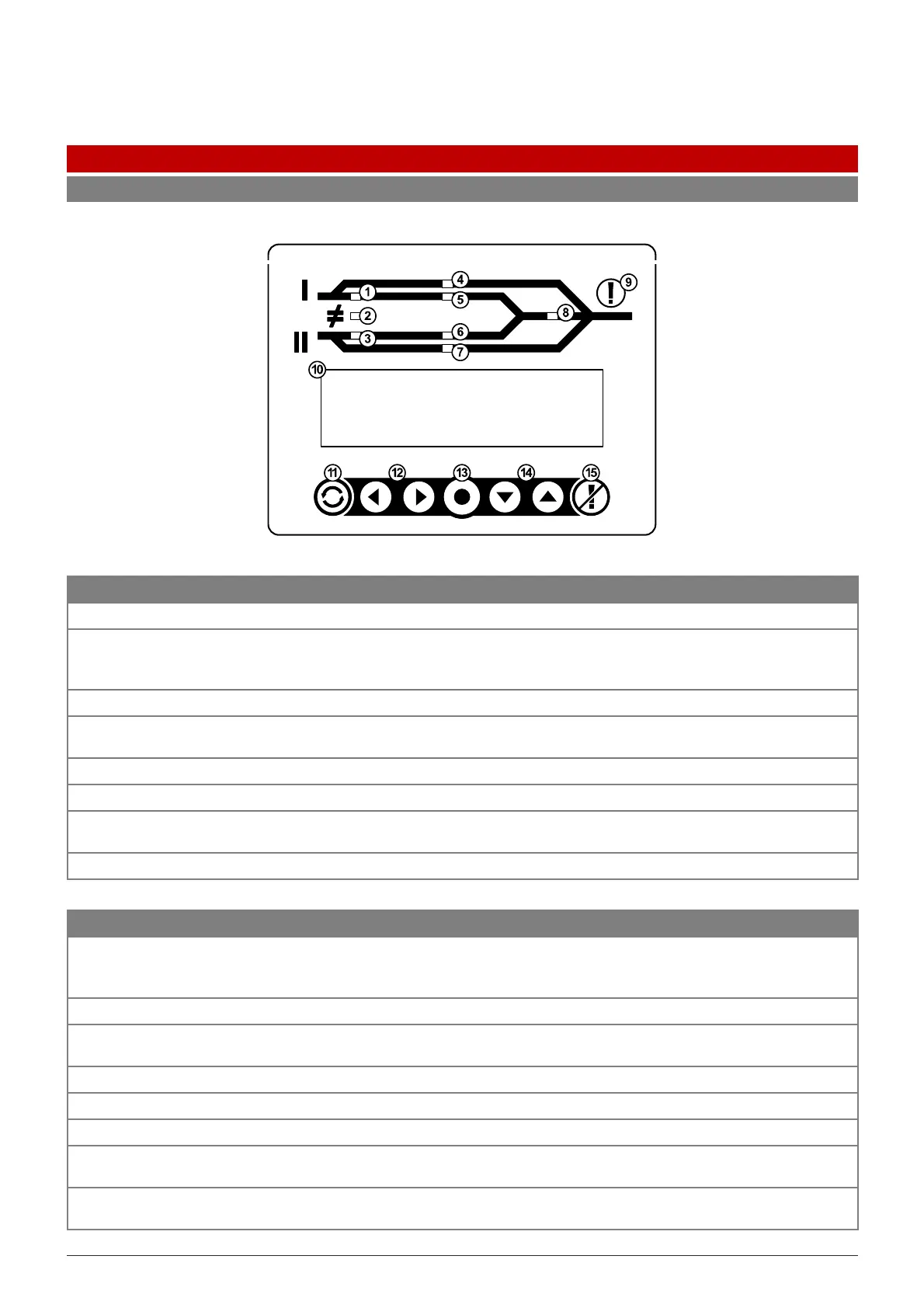
Supply 1 is within tolerance Supply 1 is out of tolerance GREEN if Supply 1 is ON
2
Supply 1 and Supply 2 are within
synchronisation range to perform
a transparent transfer
Supply 1 and Supply 2 are not
within synchronisation range to
perform a transparent transfer
GREEN when Supply 1 and Supply
Supply 2 is within tolerance Supply 2 is out of tolerance GREEN if Supply 2 is ON
4
iSTS is bypassed to Supply 1 No RED LED
OFF unless Supply 1 bypass is
active
5
Load is on Supply 1 Load is not on Supply 1 GREEN if load is Supply 1
6
Load is on Supply 2 Load is not on Supply 2 GREEN if load is Supply 2
7
iSTS is bypassed to Supply 2 No RED LED
OFF unless Supply 2 bypass is
active
8
Output is OK Output is faulty GREEN
RED light and audible alarm indicates a fault. Pressing the Alarm Cancel button will silence
the alarm and the light will stay on until the fault is cleared. The fault will be recorded in
the Events List
Shows Supply Status, Alarms, Settings, Events List and Settings
Press to cycle the preferred source as 1, 2 or none. The iSTS will default to the preferred
supply when it becomes available
LEFT/RIGHT NAVIGATION BUTTONS
Use to scroll through menu items and enter input fields
UP/DOWN NAVIGATION BUTTONS
Use to scroll through menu items and enter input fields
When a fault occurs, press to acknowledge alarm and turn off the audible alarm while. The
Alarm LED will remain on until the fault is cleared
Pressing the two buttons together will mute the audible alarm. The visual alarm will not be
affected



 To Next Page