EasyManua.ls Logo

Static Power iSTS W - Control Panel

Default Icon
30 pages
Print Icon
To Next Page IconTo Next Page
To Previous Page IconTo Previous Page
Loading...
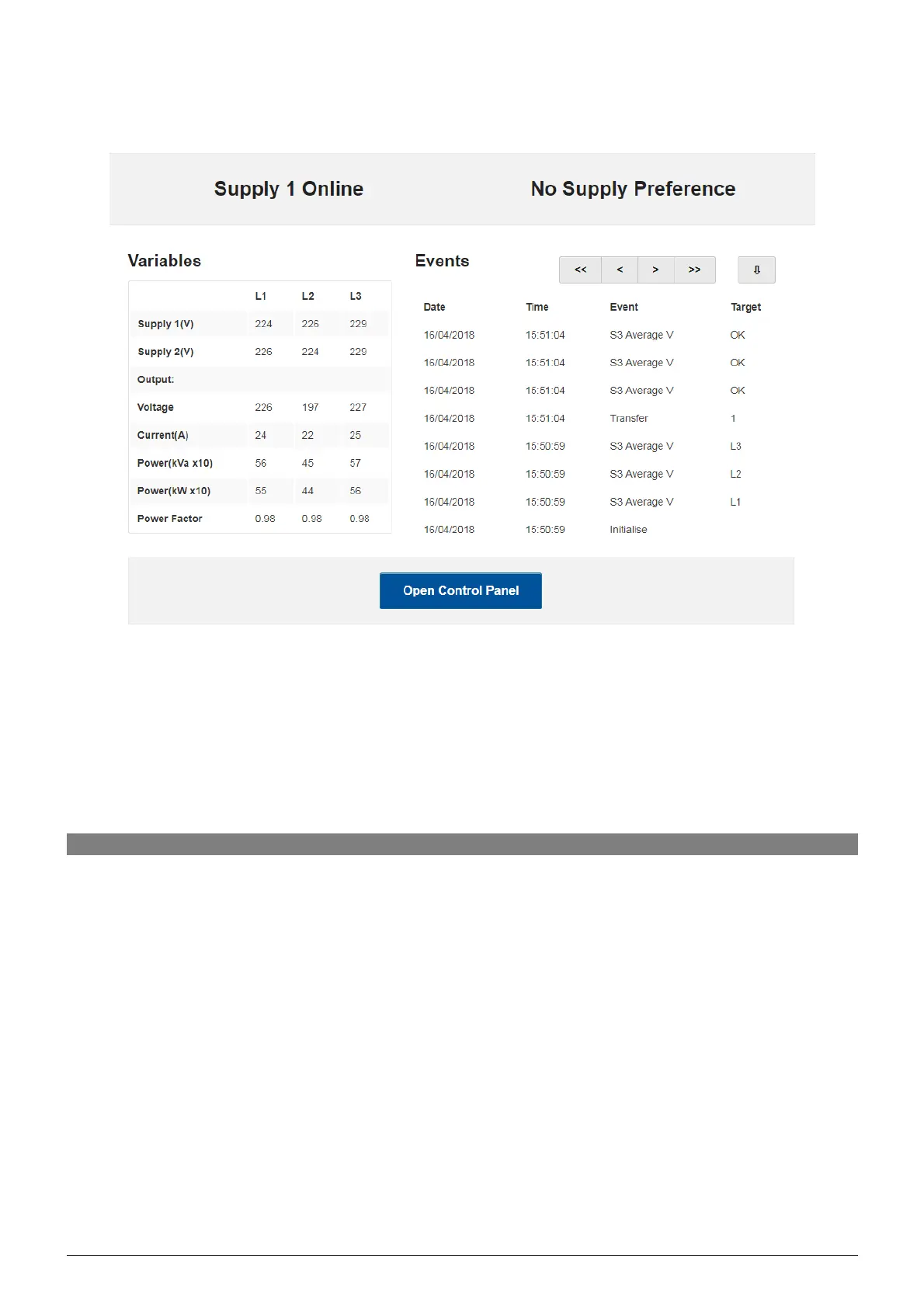
The
home page displays the connected supply, supply preference, variables and events list that can be
scrolled
through
using the arrows provided. From the home page, gain access to the Control panel by clicking
Open
Control
Panel and enter following username and password:
.
Username: admin
Password: 1234
iSTS W
User Manual
Page 18
WEB SERVER HOME PAGE
6
.4 Control Panel
On
the Control Panel page, many more options become available:
Viewing utilisation
Ability to transfer supply
Setting the preferred supply
Setting the name and location information
Adjusting the time and date
Setting the IP address
NOTE
: You must press update for the information to be saved on the device
iSTS W