EasyManua.ls Logo

Static Power iSTS W - Email

Default Icon
30 pages
Print Icon
To Next Page IconTo Next Page
To Previous Page IconTo Previous Page
Loading...
iSTS W
User Manual
Page 20
6
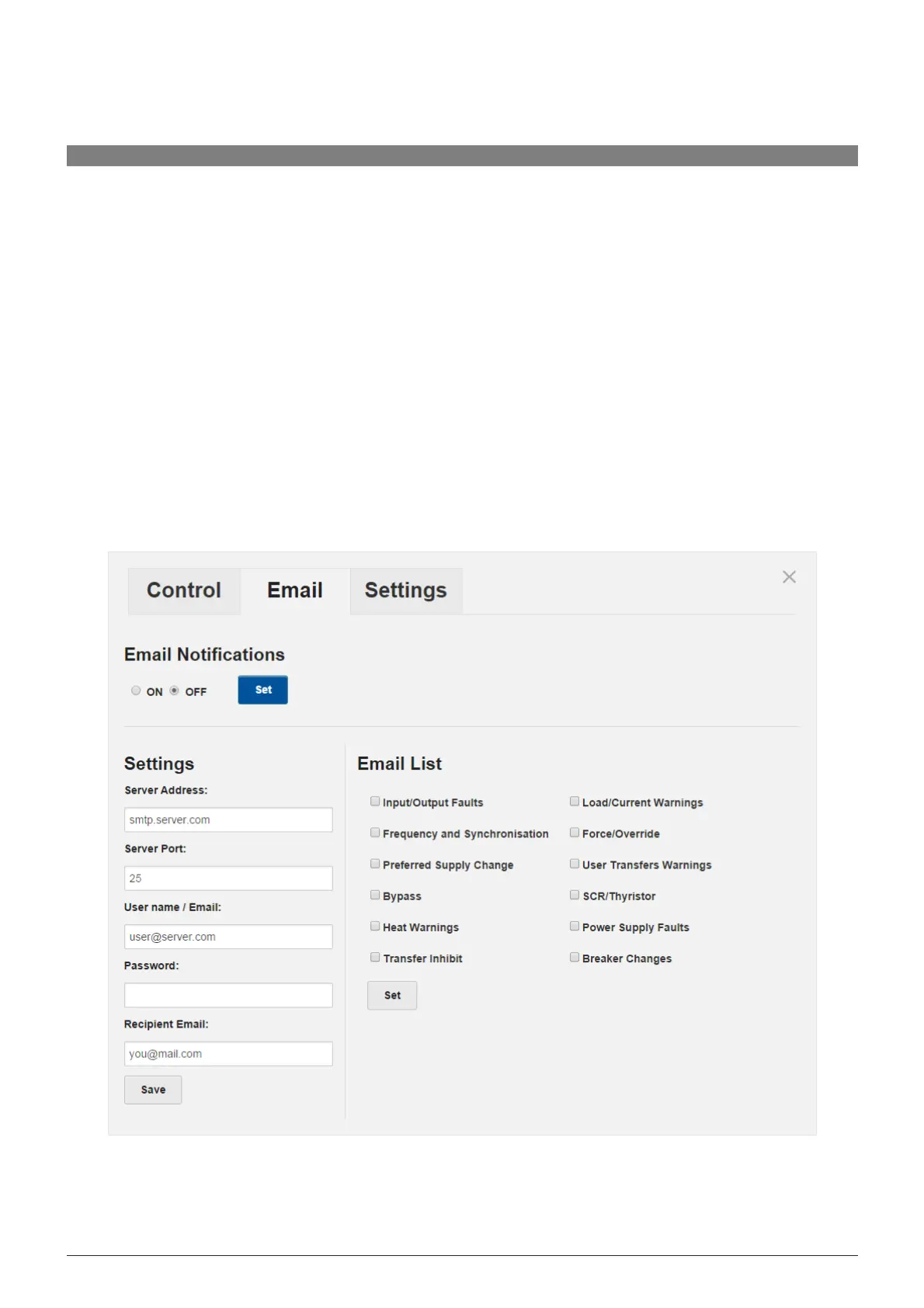
.5 Email
The
Email tab allows you to turn on the email notification service. When a certain event occurs the unit will
send
an
email to notify the user. The email takes the following format:
STS01 LVL5
Supply 1 Fault - 05/05/2014 13:01:42
Server
Settings
This
is the SMTP server that the unit will use to send the email. You need to provide the Server Address,
Server
Port,
User name or email, and a password.
Note
: this cannot be an SSL SMTP server.
Recipient
Email
This
is where the email notification will be sent. It can be the same as the above email.
Email
List
In
this section you can select which event types should trigger an email notification to be sent.
EMAIL SCREEN
iSTS W