27
EN
3 Drawings
4 Connection and Setup
4�1 Connection
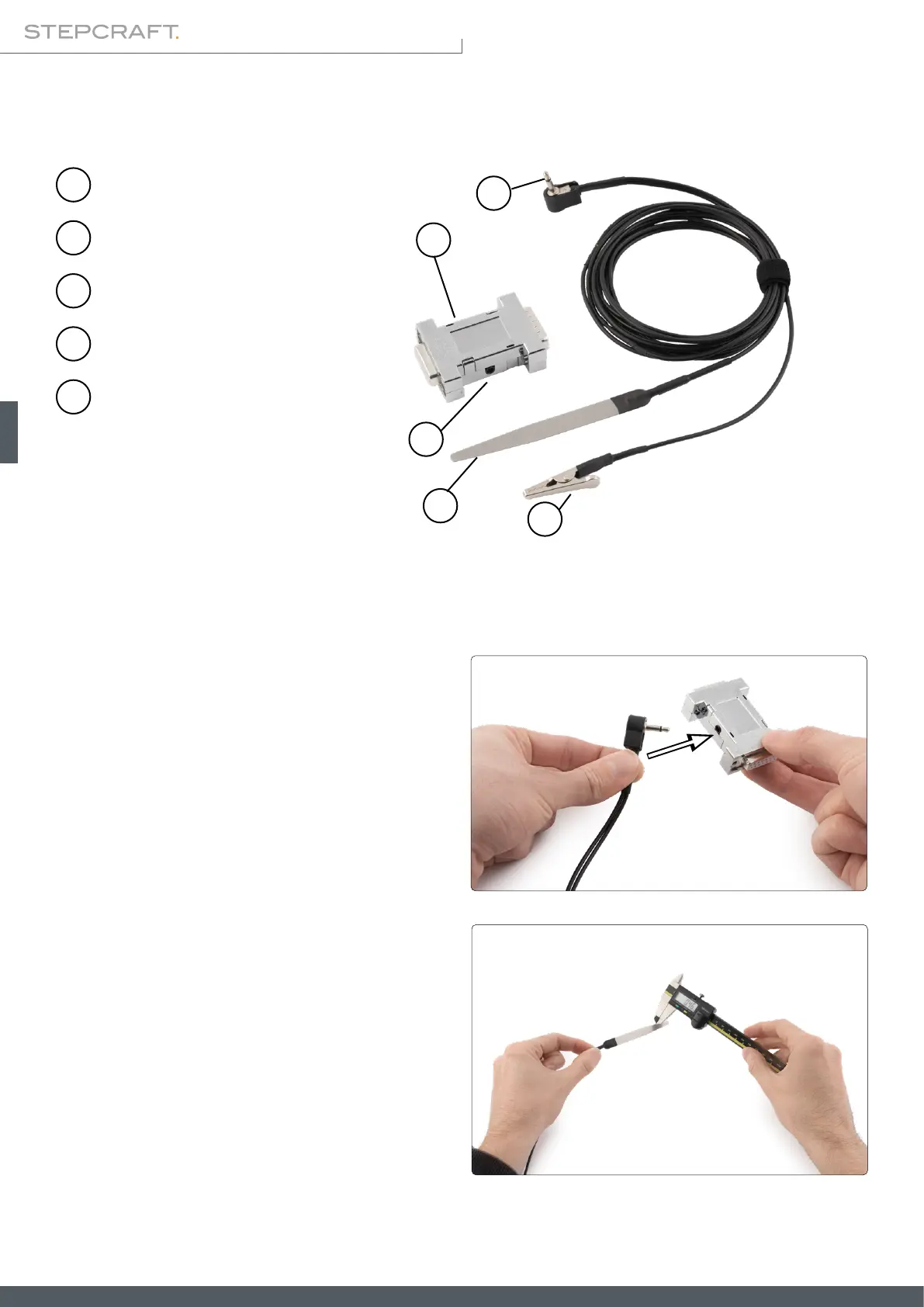
The system and possibly mounted accessories should be
set currentless. Plug the touch probe's 3,5 mm plug into
the signal converter's according jack.
The signal converter is to be connected to the Sub-D 15
socket of the CNC system. In case you currently have ac-
cessory connected to this socket, please remove it. Con-
nect the signal converter and x it by use of the screws
included in the scope of delivery.
You can now connect your accessories to the signal con-
verter. When disconnecting the 3,5 mm cable, hold the
signal converter with one hand to avoid damage to the
Sub-D 15 socket.
The next step before operation is to measure the actual
thickness of the touch probe. Take note of that value, it
will be needed in the next step when setting up the CNC
software. Repeat this measurement regularly to uphold
precision.
1
2
5
4
3
Signal converter
Grounding clamp
Touch probe
3,5 mm jack
3,5 mm plug
1
2
3
4
5



 To Next Page