32
EN
5�3 Operating the Probe using WinPC-NC
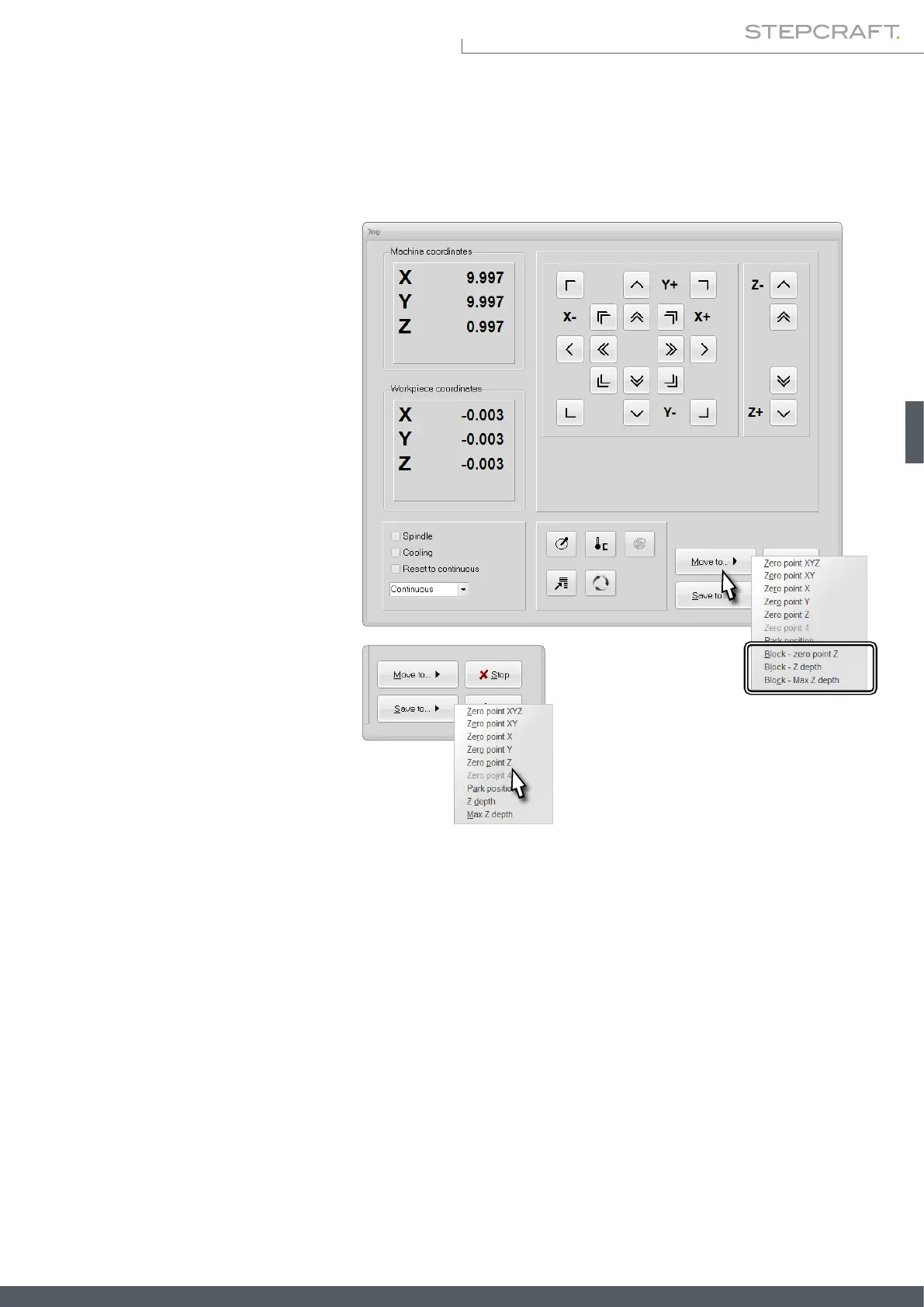
In WinPC-NC the functionalities of the TLS can be accessed via the Move – Jog menu. The button Move to offers you some
options to nd the workpiece zero point and depths for Z. Place the TLS below the end mill and start the desired mea-
surement by clicking Block - zero point Z,
Block Z depth or Block - Max Z depth.
Block - zero point Z moves the Z-axis
downwards until the TLS, that has previ-
ously been placed below, is triggered.
Block Z depth and Block - Max Z depth
can be used in order to determine a range.
Either place the TLS on the workpiece
(Block Z depth) or the machine table (Max
Z depth) and below the end mill.
The button Save to allows you to save var-
ious positions. The respective selection is
named in a way that indicates what you
will save. After saving a workpiece zero
point for Z, you can go to that point by
using the button Move to – Zero point Z.
6 Packaging and Storage
6�1 Packaging
If you do not want to reuse the packing materials of the product, please separate it according to the disposal conditions
on site and take it to a collection center for recycling or dispose of it.
6�2 Storage
If the product and control unit is not used for a longer period, please consider the following points regarding storage:
• Only store the product in closed rooms.
• Protect the product against humidity, wetness, cold, heat and direct sun radiation.
• Store the product dust-free (cover it if necessary).



 To Next Page