29
EN
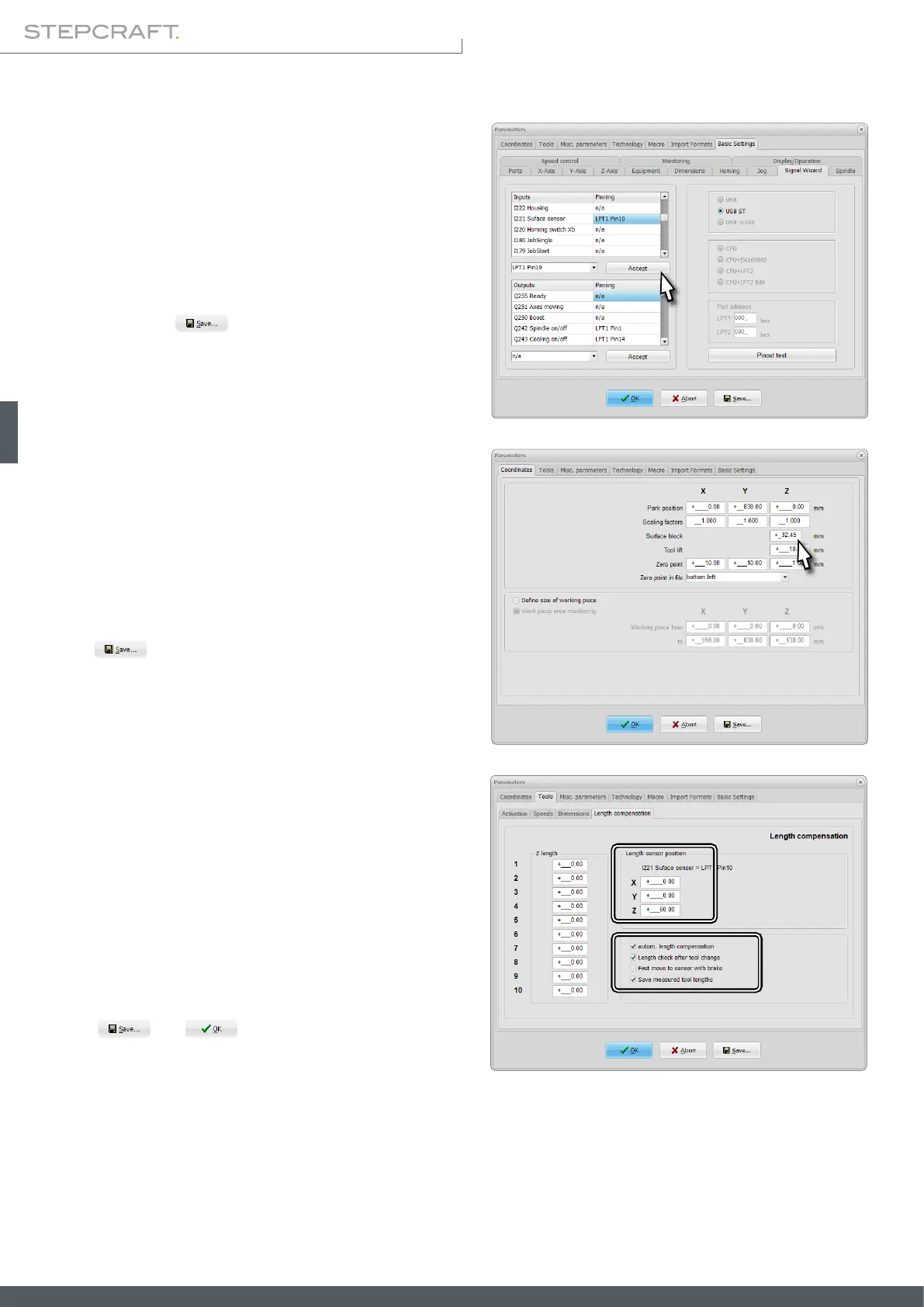
To set the height of the touch probe, go to Coordinates and
then enter your probe's thickness into the text box named
Surface block.
Click .
The next step is to be found in Basic Settings – Signal Wiz-
ard. Scroll through the Inputs and nd the entry I221 Sur-
face sensor. Select LPT1 Pin10 from the drop down menu.
Click Accept and .
The last option to be set is to be found in the menu Tools
– Length compensation. Tick the options autom. length com-
pensation and Save measured tool lengths. If you would like
to automatically perform a length measurement after every
tool change, additionally tick the option Length check after
tool change.
Click
and .



 To Next Page