73
08/13424999756
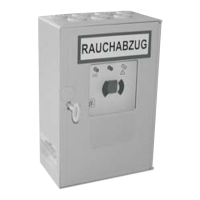
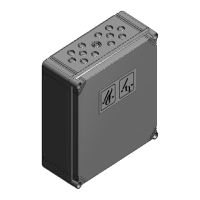
Compact control panel 4A, 4A/M und 8A, 8A/M
Start up procedure and trial run
Note:Thespecicationsforstartupprocedureapplytothestandardfunctions.
All DIP-Switches are OFF.
Note:Beforecommissioning,checkwhetherthebatteriesarexedsuitablyrmlybythevelcrotapes
or bracket depending. Operation without securely fastened batteries is not permitted!
Without mains voltage and without battery
Check all parts mechanically and electrically for fully tightened screw connections and damage, the terminals: plug in
connectors for motors and control elements as well as, if available, automatic detectors and wind/rain detectors.
Do not plug in the battery fuse!
With mains voltage, with battery
Plug on the battery connector, the battery connector is polarized. If it is removed, make sure the polarity is correct.
Attention: Polarity reversal leads to destruction.
Visual display on the control board
Max. 100 secs. after connecting the battery, check:
green LED
- Operation OK - lit up,
red LED
- SHE activation - not lit up
yellow LED
- SHE activation - not lit up
Troubleshooting
• green LED
not lit up: Mains and/or battery and connection not OK.
• red LED
lit up: Press SHE-Reset switch in the control panel.
• Yellow LED
isashing:
check corresponding fuses (see also beep code chart page 72).
cable breakage, check cable connections.
check if end module is missing in last smoke detector.
* not included in delivery.
Vent switches
PressventswitchOpenbriey,thedrivesopenthewindowscompletelyuptoendposition.
The display “ventilation Open” lights up. During running: observe the windows exactly.
Attention: Make sure the drives can move freely at all times without obstruction. Pay attention to potential collisi-
on, tension and crushing during this movement, too. Check the connection cables of the drives: they must not be strained
by tension or crushing.
PressventswitchCLOSEDbriey,thedrivesclosethewindow.Thedisplay“VentilationOPEN”goesout.PressSTOP
during running, STOP = press both OPEN and CLOSED switches at the same time, the drives stop.
The display “Ventilation OPEN” lights up.
PressventswitchCLOSEDbrieyonceagain,thedrivesruntoCLOSED.Thedisplay“VentilationOPEN”goesout.The
drives close the window completely up to end position. The display “Ventilation OPEN” goes out.
Attention: Pay attention to potential collision, tension and crushing during this movement, too


 To Next Page