70
08/13424999756
Service Port Software
1. General information about Service Port Software
Certain functions can be provided with further parameters via the service port (PC interface) using the appropriate PC
congurationsoftware*andconnectingcables*.ThefunctionsdependonthePCsoftwareversionandthermwareof
the SHE panel control system. The service timer can only be Reset via the software.
ToalteracongurationviatheserviceportinterfacetheserviceportconnectioncablemustbeconnectedtotheSHE-
controlpaneltypeCompactcontrolpanel4A,4A/M,8A,8A/MandthePC.Beforeconguration,boththeServicePort
Softwareandalso,whererelevant,anyfurtherdrivelesfortheconnectioncablemustbeinstalledandworking.Seere-
levantsoftwareinstallationinstructions.TheSHEcontrolpanelshouldbeconnectedtomainsvoltageduringcongurati-
on.Fromversion01.04.00onwardsthecontrolpaneltypeCompactcontrolpanel4A,4A/M,8A,8A/Mcanbecongured
via the Service Port Software. Updates to the Service Port Software can be downloaded from www.STG-BEIKIRCH.de.
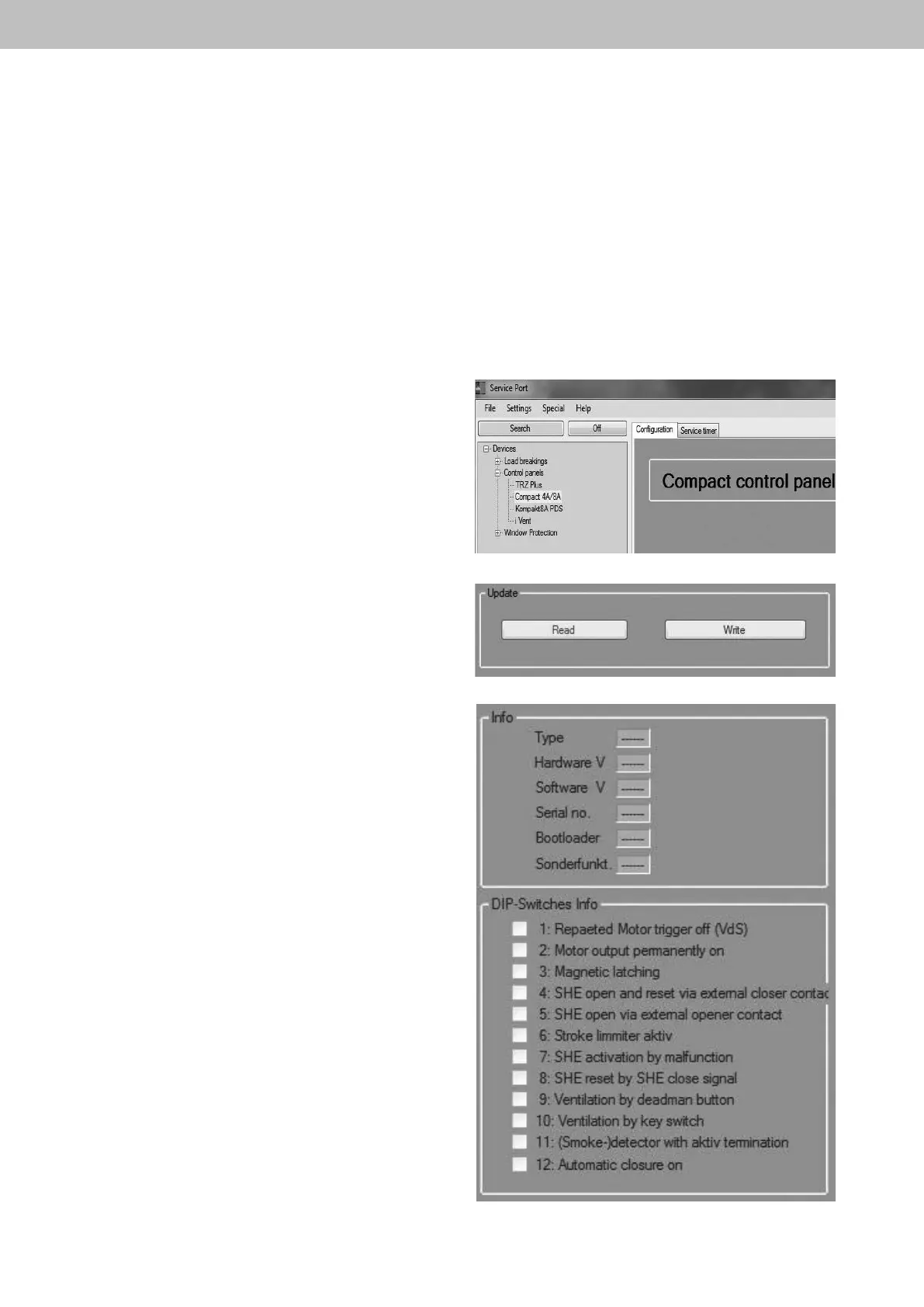
After starting the Service Port Software and clicking the
"Search“button,thecongurationscreenisautomatically
launched.
Theexistingcongurationofthecompactcontrolpanelcan
be read by clicking the “Read” button. The “Write” button
can be used to transfer the amended parameters and
congurationdata.
In the tooltips "Info" and "DIP swiches info"
thecurrentcongurationoftheDIPswitch
settings and information about the smoke control unit such
as the serial number or the software version are displayed.
Here is no parameterization or functional change possible.
* supplied with the Service Port Software package.
Compact control panel 4A, 4A/M und 8A, 8A/M


 To Next Page