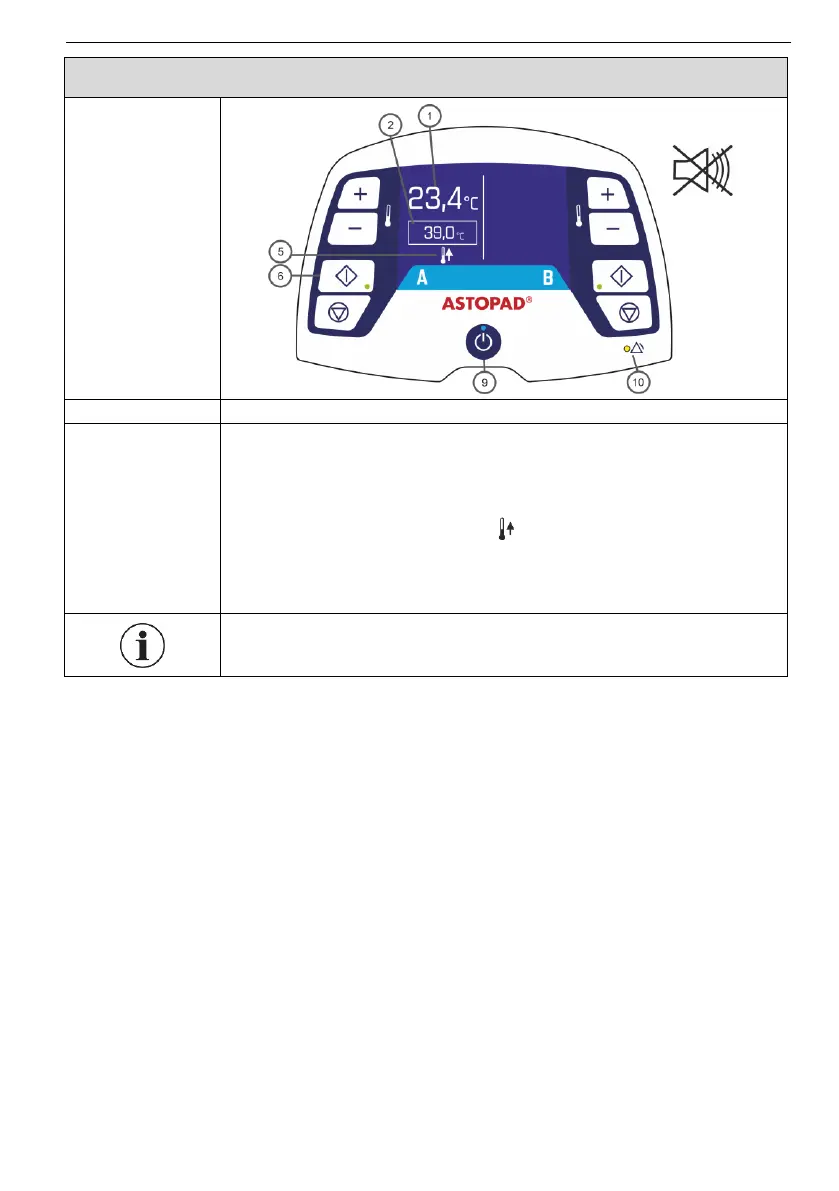
The last set temperature (2) is loaded.
Acoustic alarm switches off, and the alarm LED (10) goes
out.
When the applied part is started, the display (5) shows the
applied part heating symbol , until the difference with re-
gard to the set temperature (2) is less than 1°C.
LED Start (6) lights up green.
Temperature control is active.
If no applied part is connected to an output (A or B) or the
heating process does not start, displays (1), (2) and (5) go off.


 To Next Page