ASTOPAD
®
Instructions for Use
32
7.6.3 Switch to storage/transport mode
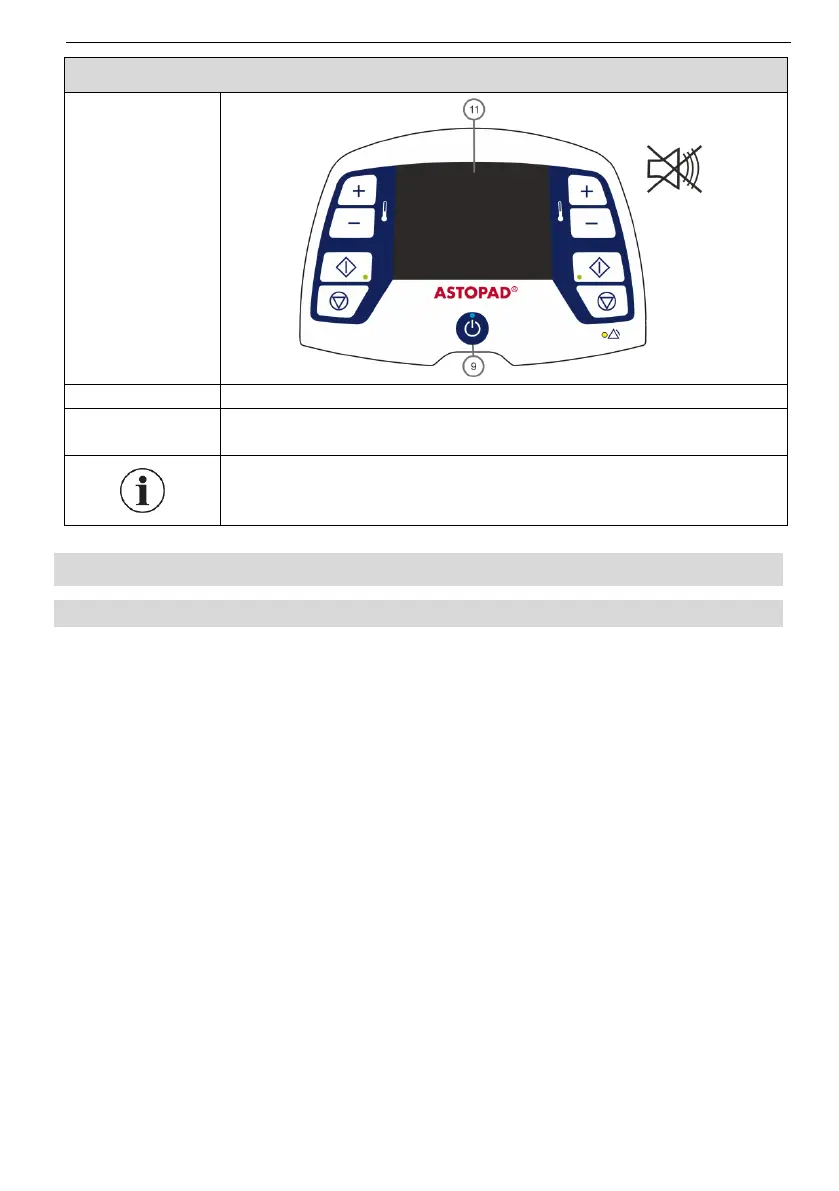
Hold down Standby button (9) for at least 3 seconds.
The Standby LED (9) goes out.
The display (11) turns off.
Battery discharge is reduced.
Press the Standby button (9) for at least 3 seconds to switch
on the control unit again (On mode).
8 Installation
8.1 Initial start-up
Prior to first use, perform the following inspections:
Visual inspection (see Section 13.1 Recurrent tests).
Check the mains voltage (compare the details on the type plate with the avail-
able mains voltage). An incorrect mains voltage may destroy the equipment.
National regulations may require different inspections for the initial start-up. If ad-
ditional tests are required for electrical safety, these must be carried out accord-
ing to Section 13.1 Recurrent tests.


 To Next Page