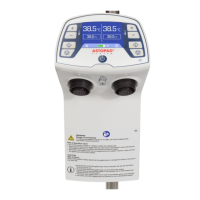
ASTOPAD
®
Instructions for Use
1 Information about these instructions
4
9 Getting started ................................................................................... 34
9.1 Preparation for use ................................................................................................................... 36
9.2 Starting the heating process ..................................................................................................... 39
9.3 Selecting a new set temperature ............................................................................................... 39
9.4 Switching off an output .............................................................................................................. 39
9.5 Switching off the ASTOPAD ...................................................................................................... 40
9.6 Cleaning and disinfection .......................................................................................................... 40
10 Alarms and troubleshooting............................................................ 43
10.1 Low temperature alarm A1 (low priority alarm) ........................................................................ 44
10.2 Overheating alarm A2 (low priority alarm) ............................................................................... 45
10.3 Time alarm A3 (low priority alarm)........................................................................................... 46
10.4 Overheating alarm shut-off A4 (medium priority alarm) ........................................................... 47
10.5 Sensor defect alarm A5 (medium priority alarm)...................................................................... 48
10.6 Heating defect alarm A6 (medium priority alarm) .................................................................... 49
11 Information messages and troubleshooting .................................. 50
11.1 Battery status (only for devices with a battery) ........................................................................ 50
11.2 Applied part temperature too low ............................................................................................ 50
11.3 Applied part temperature too high ........................................................................................... 51
12 Brief overview of operating states and alarms .............................. 52
12.1 Overview of operating states ................................................................................................... 52
12.2 Overview of alarms ................................................................................................................. 54
13 Maintenance ..................................................................................... 55
13.1 Recurrrent tests ...................................................................................................................... 55
13.2 Replacing the battery .............................................................................................................. 56
14 Technical Data .................................................................................. 57
15 Conformity with international standards ........................................ 60
16 Ordering information and accessories ........................................... 61
17 Guidelines and manufacturer’s declaration ................................... 63


 To Next Page