Page 30
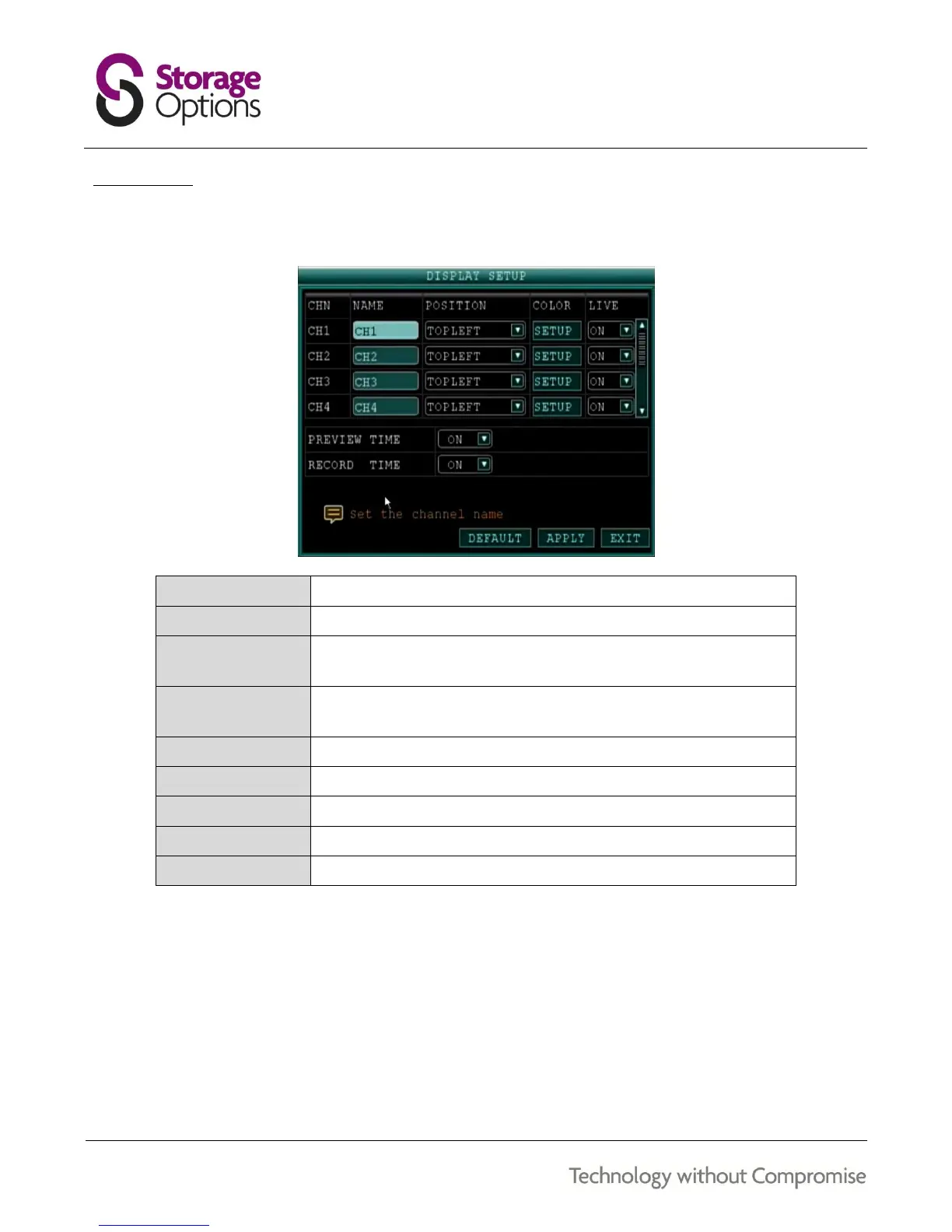
7.14 – DISPLAY
Use the display setup menu to customise channel names, show / hide the date and time in live view and playback
modes, and enable / disable preview channels.
Enter a new title for the selected channel using the virtual keyboard.
Reposition the channel title.
Click SETUP to adjust chromaticity, luminosity, contrast and saturation
for the selected channel.
Choose whether the channel can be seen if the monitor is in public
view. See section “7.15 – Live” (page 31) for more details.
Select ON / OFF to show or hide the date and time during live view.
Select ON / OFF to show or hide the date and time during playback.
Reset these settings to factory defaults.
Save changes made to these settings.
Return to the previous menu.
To customise display settings:
1. Configure the above options for channels 1-4.
2. Click APPLY to save changes.
3. Click CLOSE in the confirmation window.



 To Next Page