Page 34
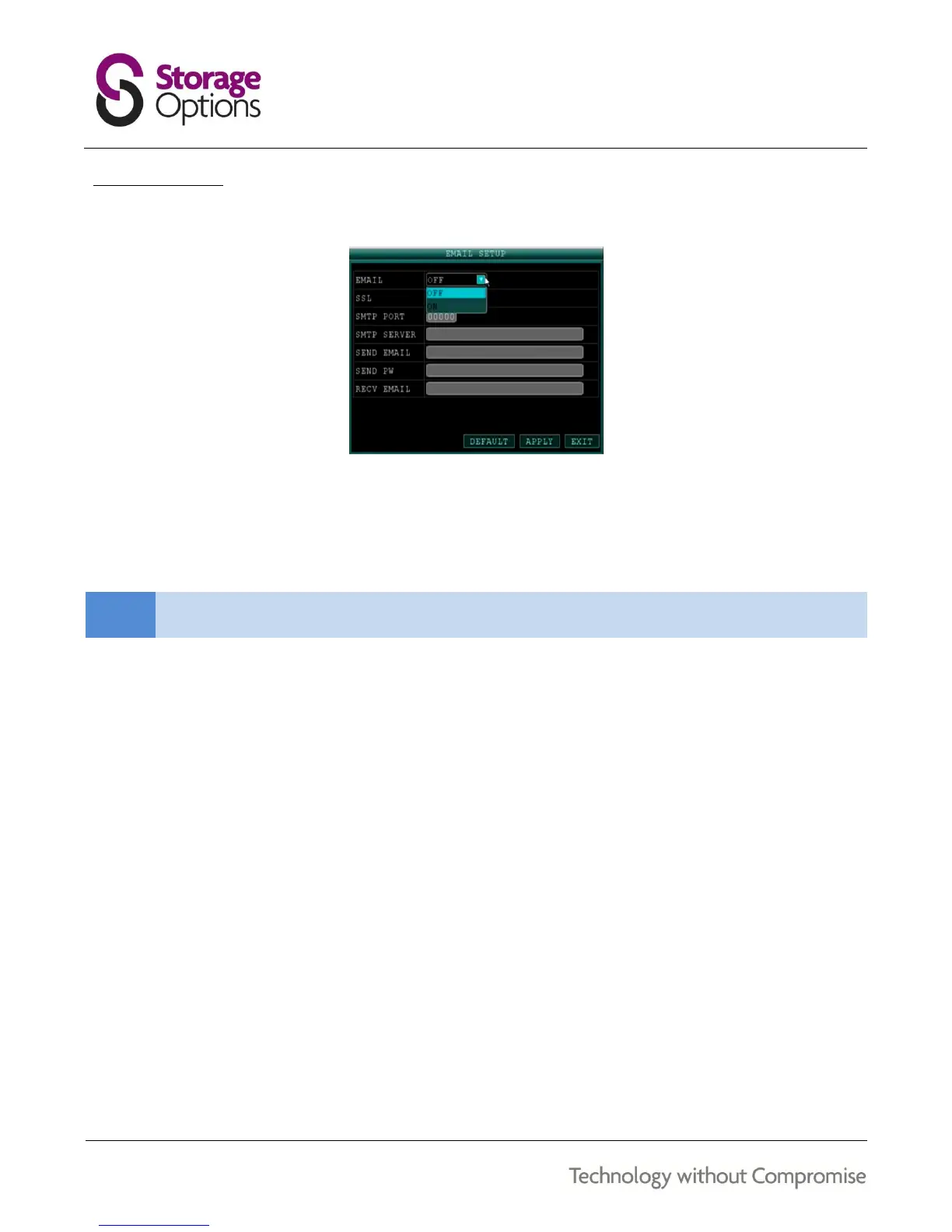
8.3 – E-MAIL SETUP
The DVR can send an e-mail notification with a JPEG (single frame) snapshot for triggered events.
To set up e-mail notification:
1. Under EMAIL, select ON.
2. Under SSL, select OFF.
3. Under SMTP PORT, enter the SMTP port of your e-mail server.
4. Under SMTP, enter the SMTP address of your e-mail server (e.g. smtp.mail.com).
5. Under SEND EMAIL, enter your e-mail address (e.g. user@mail.com).
6. Under SEND PW, enter the password associated with the previously entered e-mail address.
7. Under RECV EMAIL, enter the e-mail address that you wish to receive the e-mail notification.
8. Click APPLY, then click CLOSE in the confirmation window.
9. Click EXIT to close the menu.



 To Next Page