Wallrack User Manual
Processor set up
The
Wallrack offers a selection of set up and configuration features.
These are accessed from the front panel using the six set up keys and
LED Display. Menu and setting selections are made with the Up/Down
and/or Left/Right keys. To exit any menu press the ESC escape key. OK
is the confirmation key.
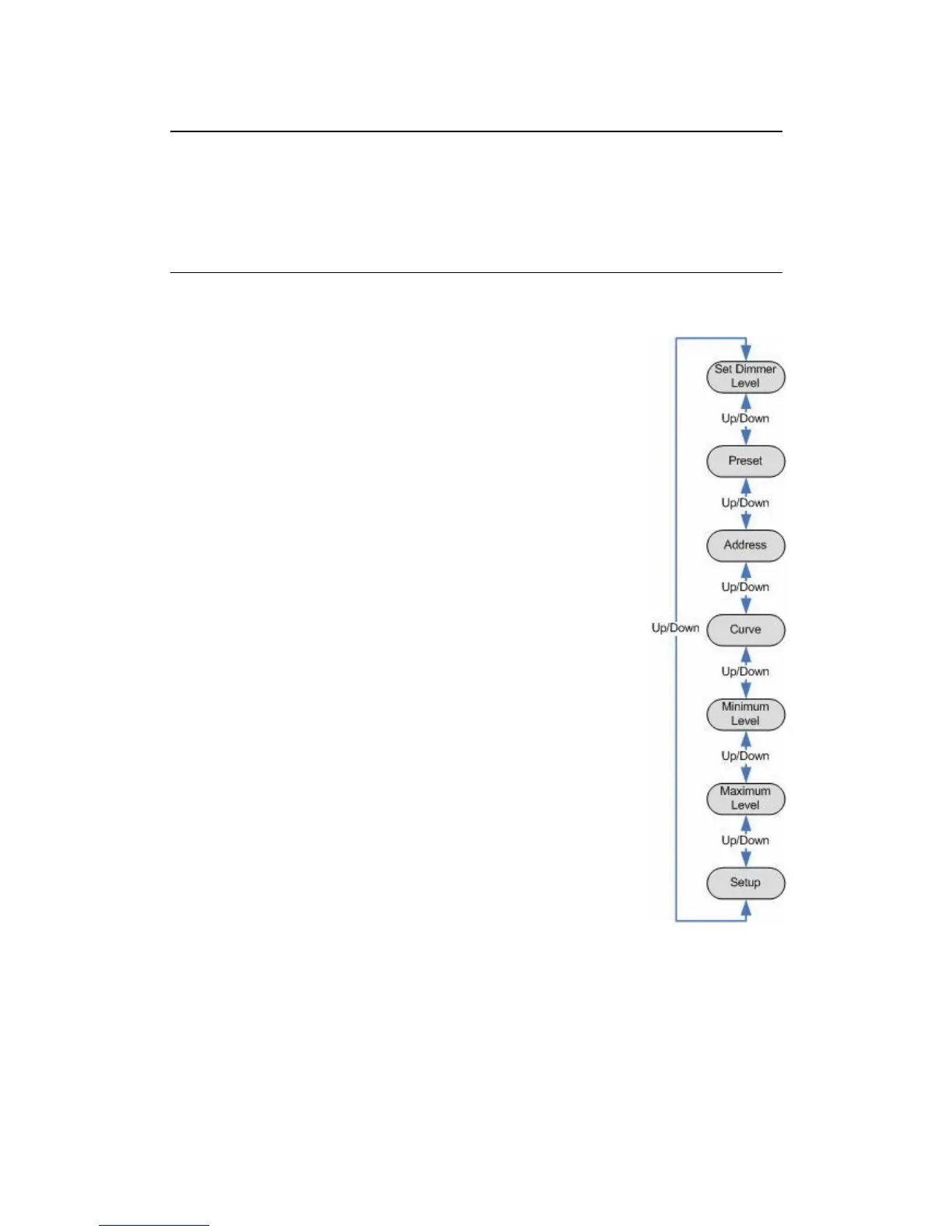
Main Menu
Normal display will show
Wallrack. Press Up/Down
key to select:
Set Dimmer Level (SET_L_)
Preset (PRESET)
Address (PATCH_)
Curve (CURVE_)
Minimum Level (MIN_L_)
Maximum Level (MAX_L_)
Set up (SETUP_)
Press Right button to enter into any of that specific
menu. OK to confirm changes and Esc to exit
without any changes.
Keylock function: Lock configuration by holding
[ESC] and [OK] for 3 seconds (5th digit dot is ON).
Repeat to unlock.
User Manual v1.2 March 2006 13


 To Next Page