Wallrack User Manual
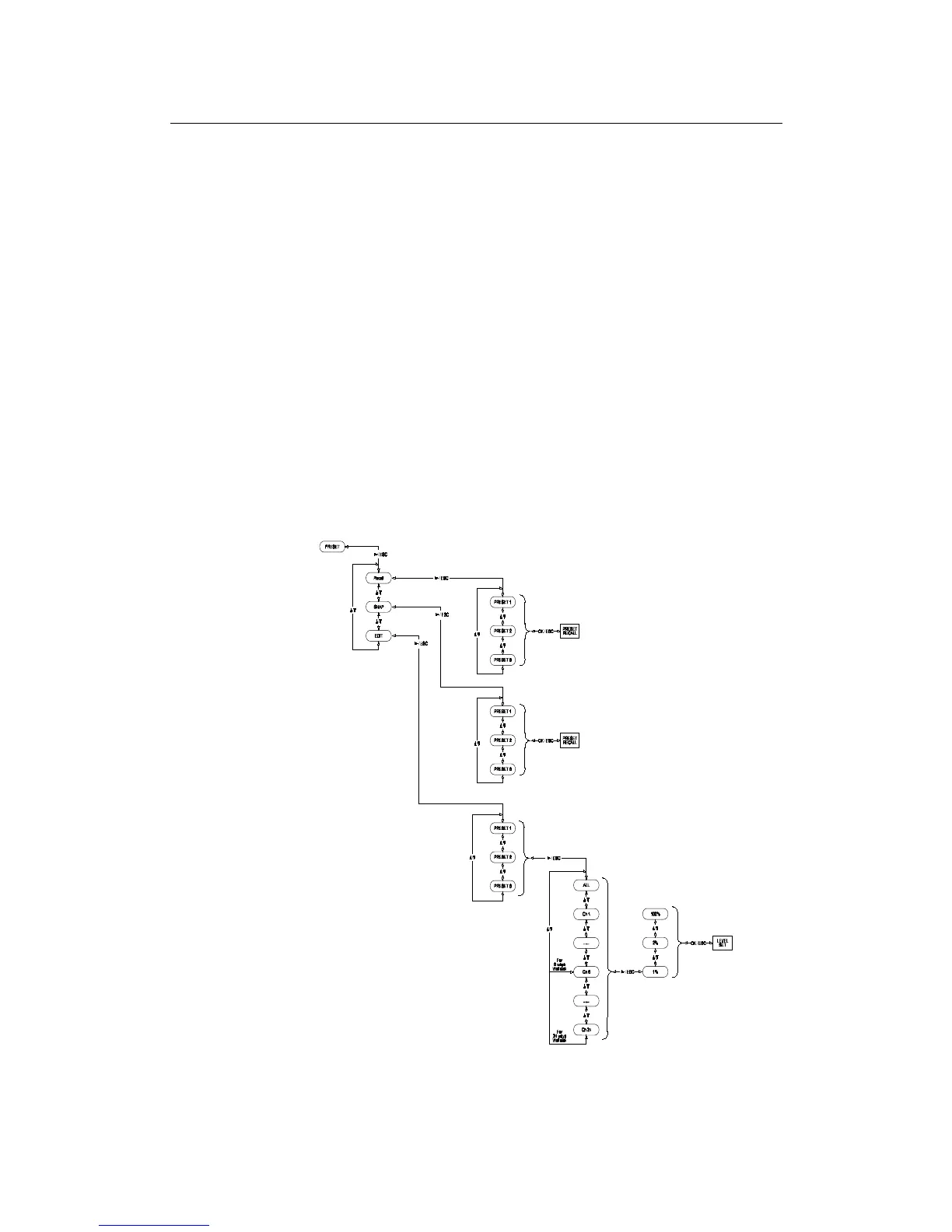
Preset
Press Down button twice to go to the Preset menu, press Right button to
enter.
Use Up/Down buttons to select either Recall, Snap shot or Edit. Use the
Right button to enter.
For Recall, press Right button to enter. Use Up/Down to select Preset
number 1-8, press OK to confirm changes or press Esc to exit without
saving any changes.
For Snap shot, press Right button to enter. Use Up/Down to select Preset
number 1-8, press OK to snap shot the DMX level or press Esc to exit
without saving any changes.
For Edit press, press Right button to enter. Use Up/Down to select Preset
number 1-8, press Right button to enter.
Use Up/Down buttons to select Input or an output level of 0-100%. Use
the Right button to set the level. Repeat as necessary to set other
channels.
Press OK to confirm changes, press OK again to save or press Esc to exit
without saving any changes.
User Manual v1.2 March 2006 15


 To Next Page