Wallrack User Manual
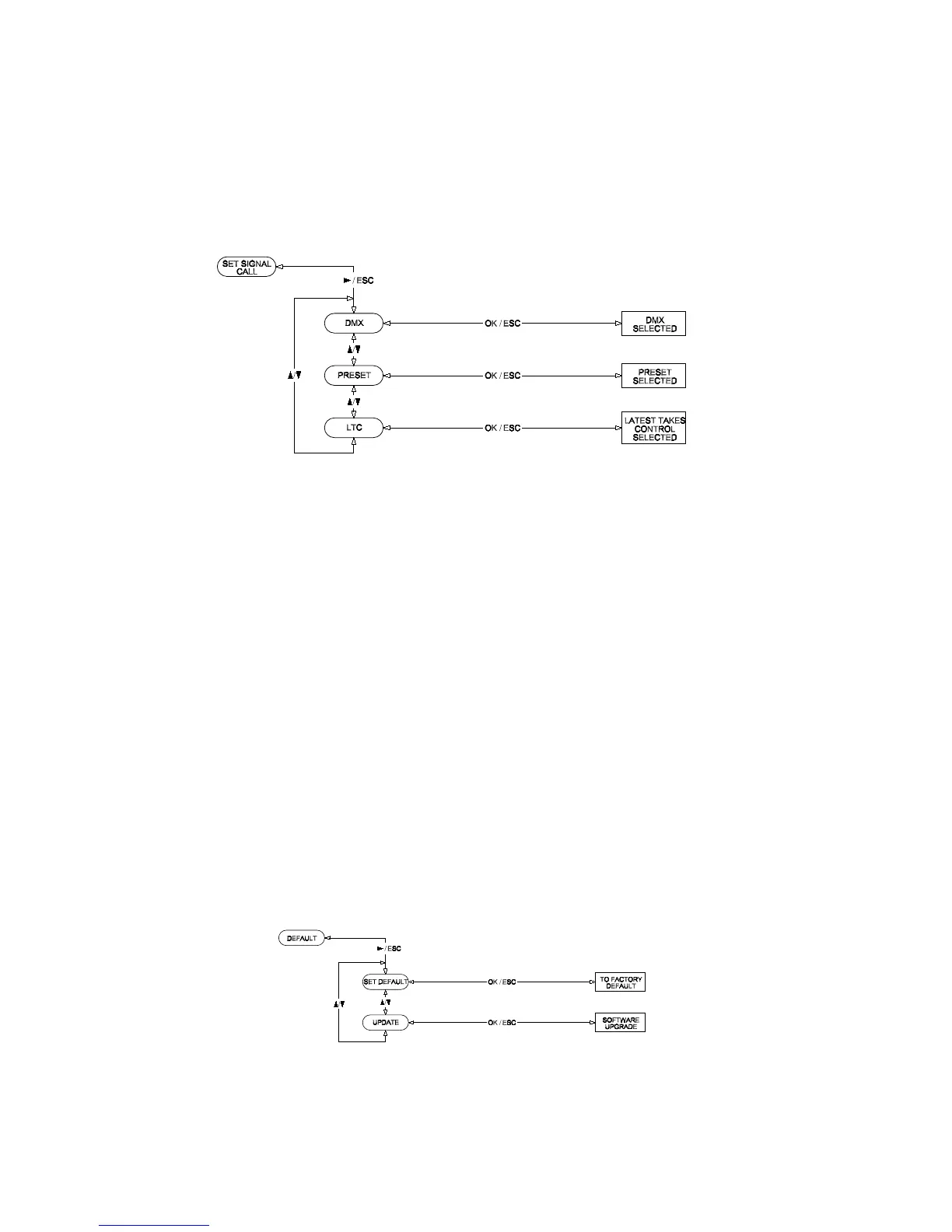
Set Signal Call
To set the Signal mode, use Up/Down buttons to select either DMX,
Preset or Latest Takes Control. Press Right button to enter.
Press OK to confirm changes, press again to save or press Esc to exit
without saving any changes.
Version Number
To view the version number, press Right button and the display will show
the software version number.
Set Factory Defaults
To set the factory defaults, use Up/Down buttons to select either Default
or Update Firmware. Press Right button to enter.
Selecting Default, press OK again to confirm the re-setting of factory
default.
Selecting Update Firmware, press OK again to confirm and the firmware
will automatically upload from the upload port.
User Manual v1.2 March 2006 23


 To Next Page