Installing a System Chassis
9-12 Stratus ftServer 29x0, 49x0, and 69x0 Systems: Site Planning and Installation Guide (R786)
Attaching Rear Mounting Brackets to the Cabinet Vertical Rails
The shelf unit is affixed to the front vertical rails by a flange that is built into the shelf
unit. Two rear mounting brackets must be affixed to the back vertical rails. These are
mounted to the shelf unit through long guide slots in the shelf unit that can adjust to
accommodate varying cabinet depths.
To attach the rear mounting brackets
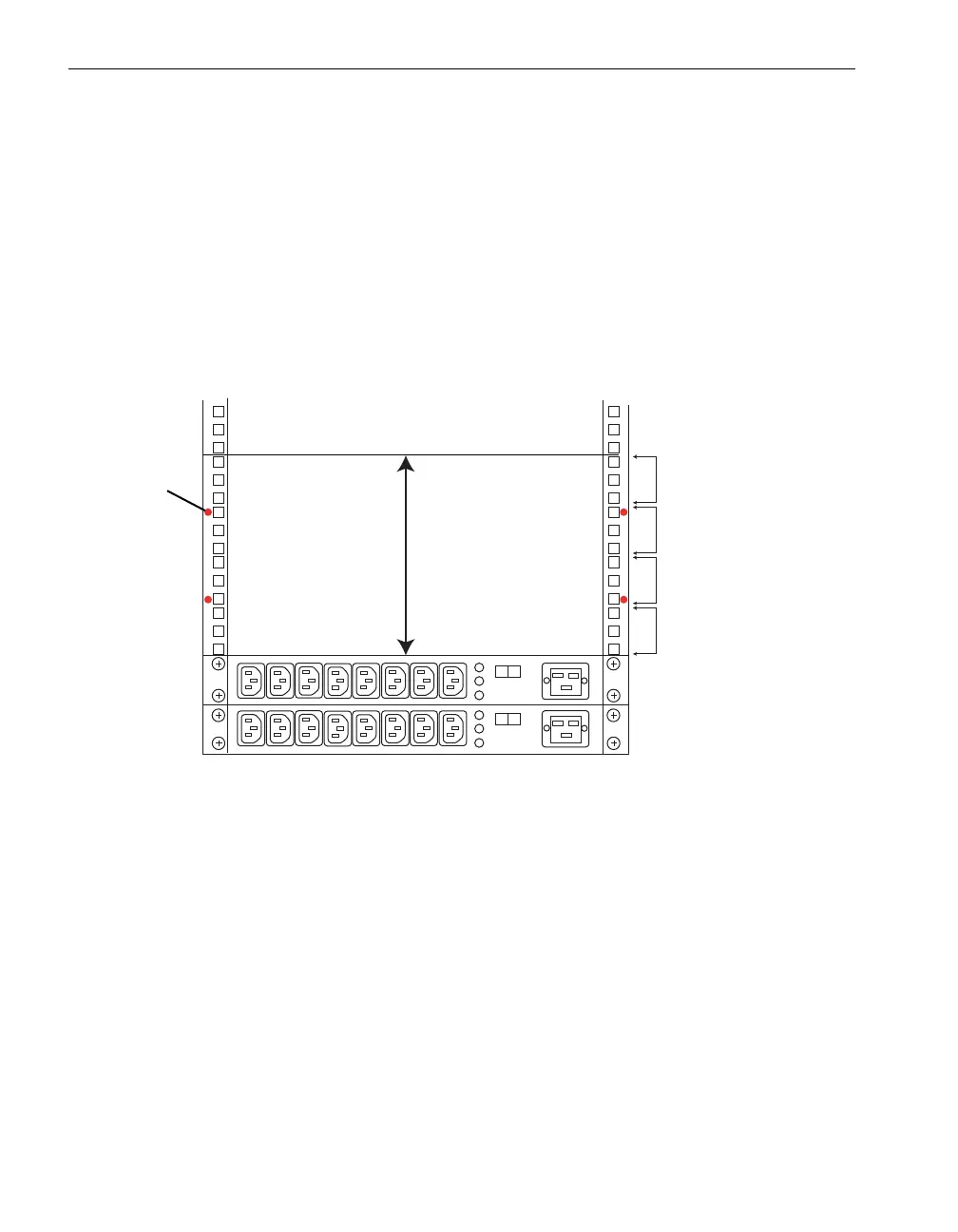
1. On the rear vertical rails, use a pen to mark the hole above the number 5 and below
the number 4, as indicated by dots in Figure 9-9.
Figure 9-9. Screw Locations on the Rear Vertical Rails
2. Position a mounting bracket inside a rear vertical rail, lining up the holes in the
mounting bracket with the two holes you marked on the rear vertical rail. See
Figure 9-10.
3. Insert and tighten two 10-32 x 1/2-in. pan-head crest-cup screws (number 1 in
Figure 9-10) through the marked holes in the rear vertical rails and into the holes
in the mounting bracket.
4. Repeat steps 2 and 3 for the second mounting bracket.
1U
1U
1U
1U
1
2
3
4
5
6
7
1
2
3
4
5
6
7
4U Total
dco057
Cabinet Rear View
Dot



 To Next Page