Installing a System Chassis
9-14 Stratus ftServer 29x0, 49x0, and 69x0 Systems: Site Planning and Installation Guide (R786)
Installing the Shelf Unit
The shelf unit comes with a front panel and the system backplane installed. Before
installing the shelf unit in the cabinet, you must remove the front panel and system
backplane from the shelf unit in order to access the screw holes at the rear of the shelf
unit.
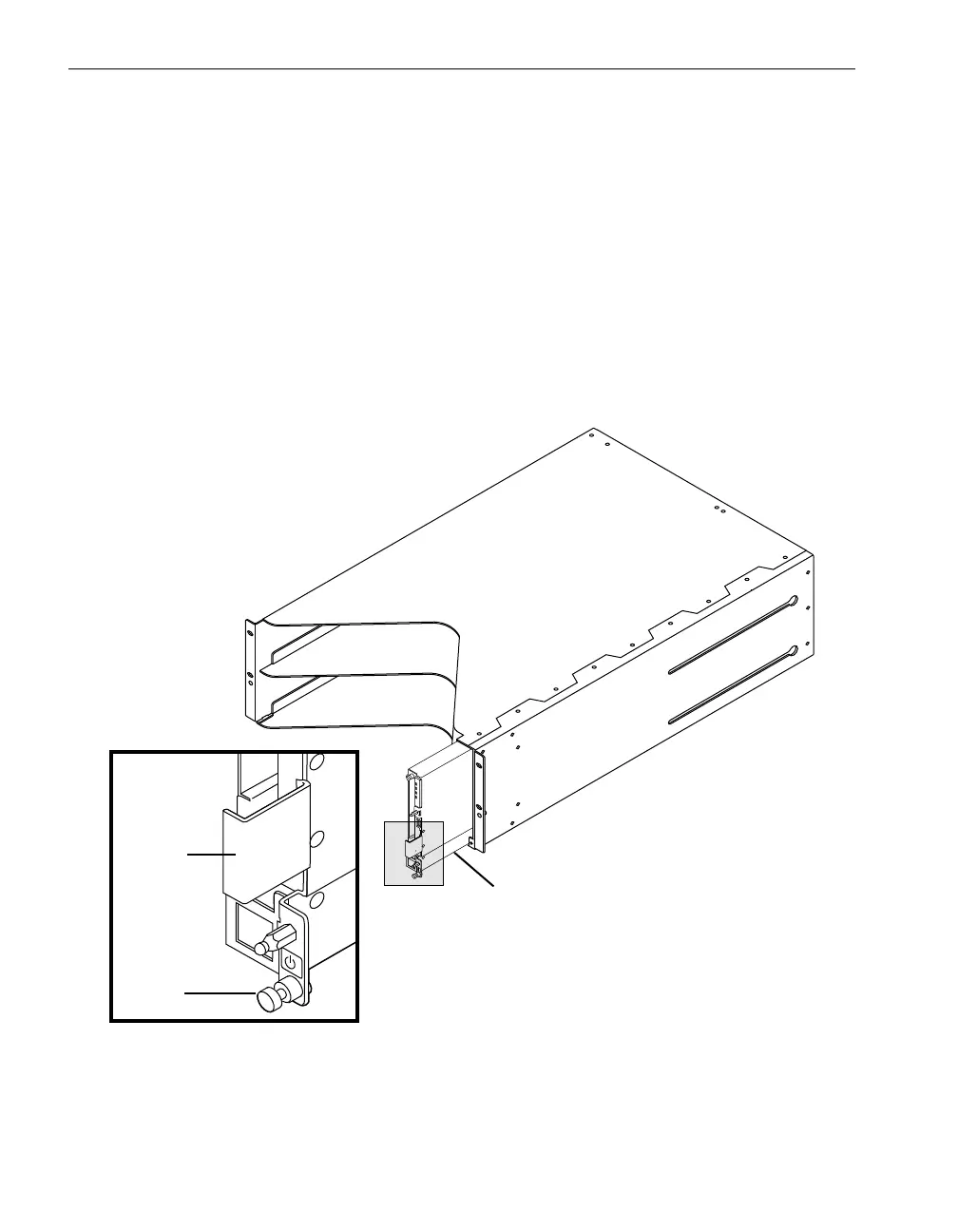
1. To remove the front panel (number 1 in Figure 9-11):
a. Loosen the captive thumbscrew (number 2) at the bottom of the front panel.
b. Gripping the bracket (number 3) on the right side of the panel, pull the front
panel straight out of its slot and out of the shelf unit.
Figure 9-11. Removing the Front Panel from the Shelf Unit
1 Front panel 2 Captive thumbscrew 3 Bracket



 To Next Page