Operation and control
V 152 10 11 Rev.: END
5-2
5.2
Controls and displays
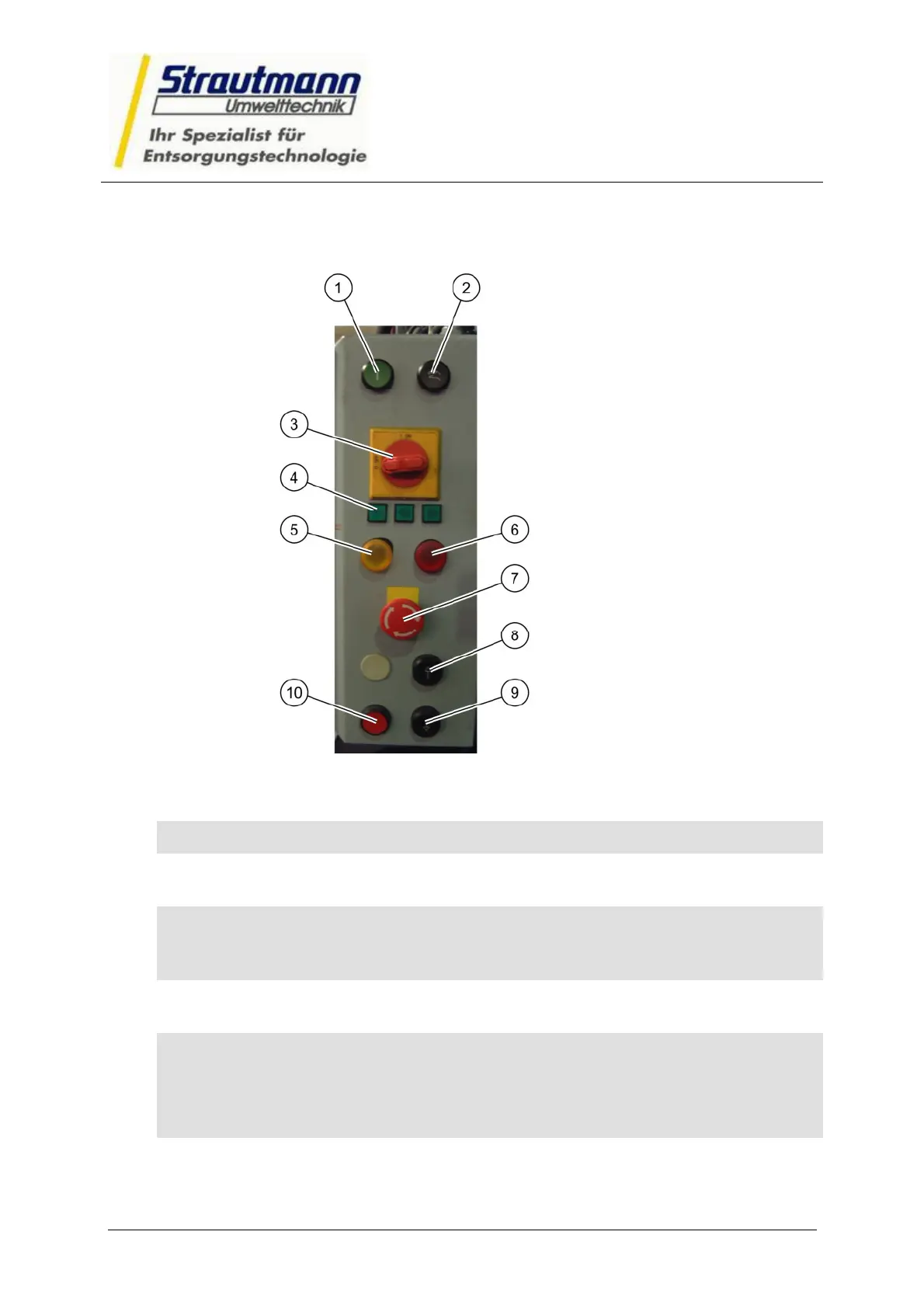
Fig. 5-1: Control panel
Item
Designation Function
1 Start
(green button)
Starts the automatic compression operation
2 Manual
operation
button
First button on two-handed control
The buttons on the two-handed control must both be
pressed within 0.5 seconds.
3 Main switch,
switch
Switches the power supply to the press
4 Phase
indicator lamp,
green lamp
Indicates whether current is applied to all 3 phases.
3 small green glow lamps, whereby each lamp represents
one phase. If one lamp malfunctions, the power supply in
a lead is interrupted.
5 Bale finished
orange lamp
Signals the bale height reached (Bale finished)



 To Next Page