43
Issued: 24.02.2005
STRIDER MX
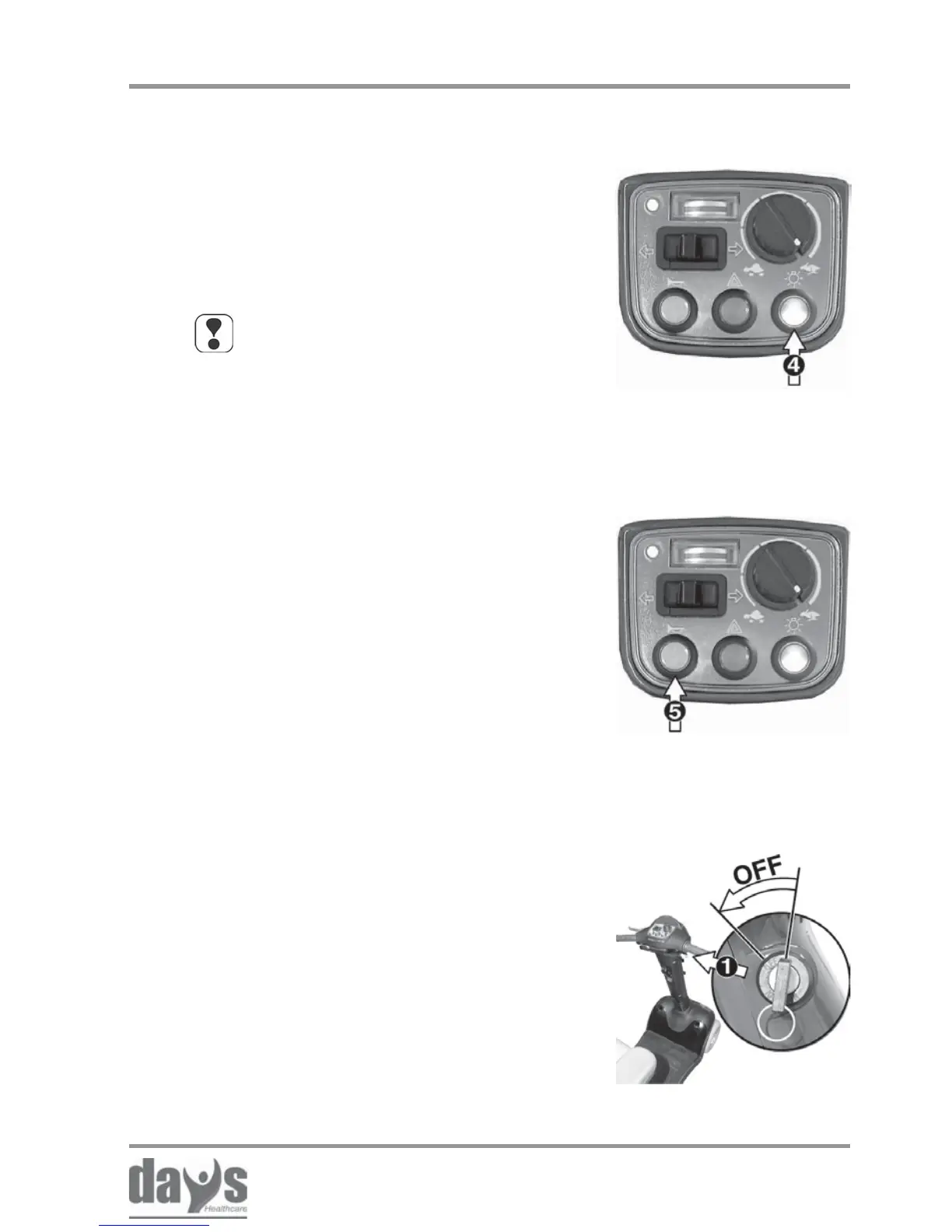
Turn the key to the left to switch the
Strider off.
➨
Always turn the Strider off using the
keyswitch (1) if you:
• want to get on or off.
• intend to stop for long periods.
Always remove the key from the keyswitch
if you:
• want to park the Strider and get off.
Switching the Strider off
➨ Press the horn button (5).
It will sound for as long as you hold the
button down.
Using the horn
NOTE
If you drive with the headlights on, the
Strider driving range will be considerably
reduced.
Pressure switch (4):
switch on = press switch once
switch off = press switch again
The switch indicator lamps shows whether
the headlight is switched on or not.
➨
➨
Switching on the
headlights
Driving the Strider
8.10 Switching on the headlights
8.11 Using the horn
8.12 Switching off / parking the Strider


 To Next Page