16
- PAGE: Move page up / page down.
- RED ( ): Display all channels / FTA channels / CAS channels / HD channels in current satellite.
- GREEN ( ): To find channel by input channel name.
- YELLOW ( ): Display channels sorted by NAME/FREE/SCRAMBL/LOCK/TP, etc.
- BLUE ( ): Display channels sorted by alphabetical order.
You can use F4 button to change satellite list and FAV button to change favorite list.
You can use numeric keys to move to your desired channel swiftly.
When the selected channel is highlighted, press OK on the remote to view the channel.
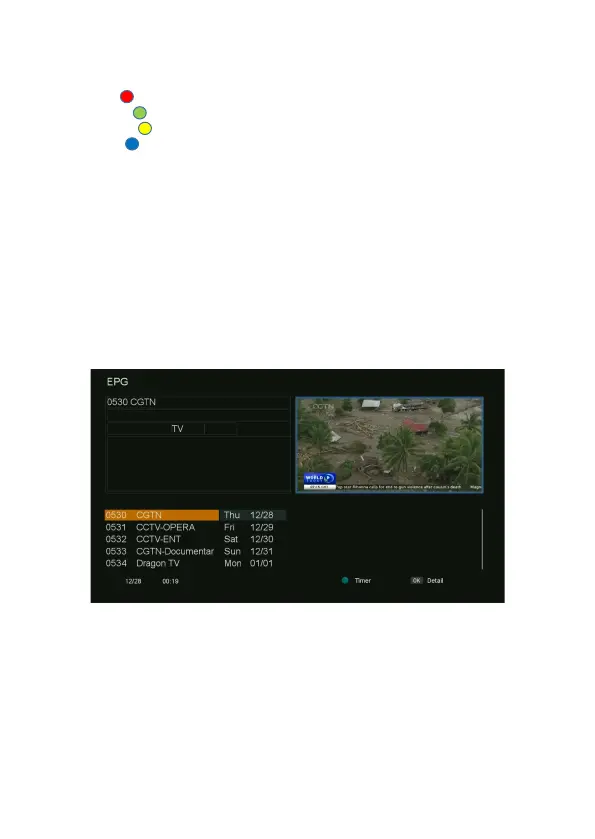
EPG (Electronic Program Guide)
This sub-menu allows you to view the electronic program guide (if available).
1. Press the EPG button on the remote, the menu will be displayed.
2. When the focus is on the channel list, Press ▲/▼ button to change the channel.
3. When the focus is on the data list, Press ▲/▼ button to view the previous/next day (total 7
days) EPG.
4. Press the OK button to view Extended EPG information.
EPG Timer
This sub-menu allows you to set the program reservation using EPG time.
1. Press the EPG button on the remote, the menu will appear.
2. If the current channel has EPG information, choose the program you want to reserve, press
the GREEN button on the remote, the submenu will be displayed.
3. Press “Save” for timer reservation after you set the timer menu.



 To Next Page