20
System Setting
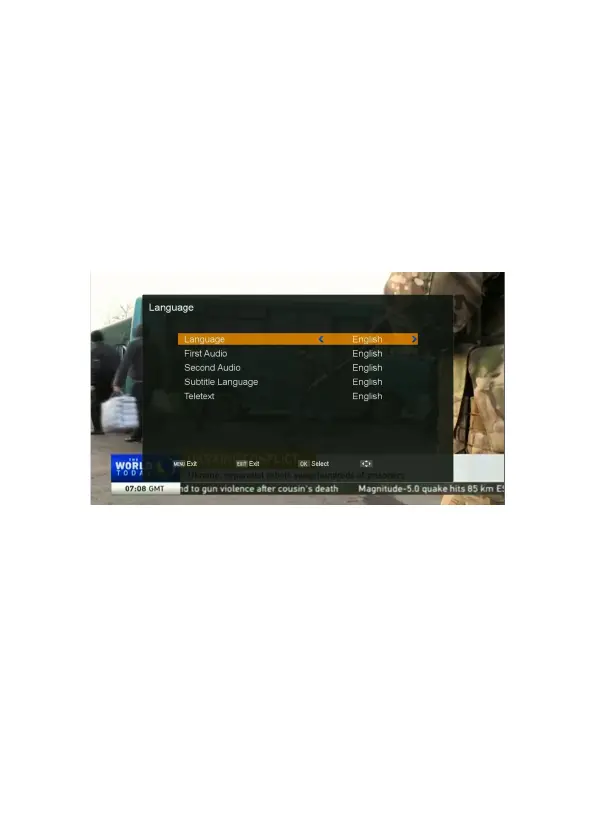
Language Settings
1. Press MENU button on the remote to display the main menu.
2. Go to the “System” and move to right
,
select “language” and press OK button
3. Use
◀/▶ button on the remote to change language. We can change the language one by one,
or change all the language by one step if we press the OK button first.
AV Setting
1. Press MENU button on the remote to display the main menu.
2. Go to the “System” and move to right
,
select “AV Setting” and press OK button,
the “AV Setting” menu will be displayed.
- TV System: Select the color television broadcasting system (PAL/NTSC/Auto).
- Video Resolution:
Select the video resolution: 1080p>1080i > 720p > 576p > 576i.
- Aspect Mode:
Select your TV screen (Auto/4.3LetterBox/4.3PanScan / 16:9).
- Video Effects: Select video effects (Standard/Default/Vivid).
- RF System: Select among supported PAL standards (PAL B/G, PAL- I, PAL-D/K).
- RF Channel: Set the RF channel to which to display the audio and video signals on your TV
set (21 to 69). If you select 40, they will be displayed at channel 40 on your TV set.
- Recall Set: Set recall mode (On/Off).
- Audio Out:
Select audio output type (BS Out / LPCM Out).



 To Next Page