26
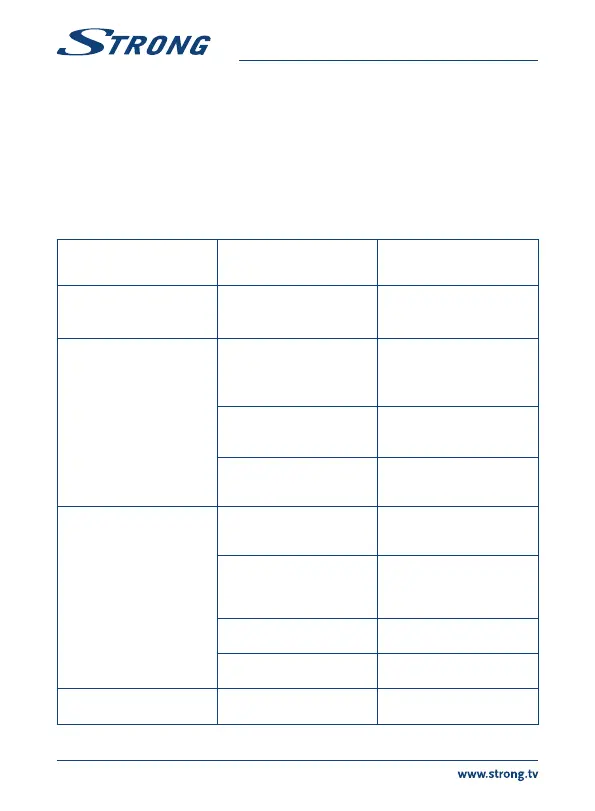
8.0 TROUBLESHOOTING
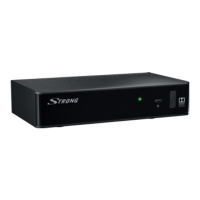
There may be various reasons for abnormal operation of the receiver. Please check the receiver
according to the procedures shown below. If the receiver does not work properly after ing it,
please contact your local Service line or STRONG dealer. Alternatively you can send a support mail via
our website: www.strong.tv. NEVER open or disassemble your receiver. This may cause a dangerous
situation and will void the warranty.
Network Apps Two simple network programs have been integrated in to the unit, a Weather
program and a RSS newsreader program. Some default cities and newsfeeds
have been incorporated, follow the on screen menu to enter your own
preferences.
PROBLEM POSSIBLE CAUSE WHAT TO DO
The standby indicator does
not light up
The mains lead is unplugged/
the multipoint connector is
switched off.
Check the mains lead/switch
the multipoint connector on.
No picture The receiver can’t receive
signal.
Check the antenna cable,
replace the cable, or connect
the cable to the receiver
tightly.
Incorrect values of some tuner
parameters.
Set the values of tuner
parameters correctly in the
Installation menu.
Wrong direction of the dish. Check signal strength and
adjust your dish correctly.
No picture or sound on TV The input is not selected on
your TV.
Switch to the correct TV input.
The TV is not connected to
the mains.
Bad cable connection.
Check the mains lead.
Firmly plug in the cables
between the receiver and TV.
Audio muting. Press the ! button.
TV power off. Turn the TV on.
Scrambled channel
message
The channel is scrambled. Select an alternative channel.



 To Next Page