6
START-UP AND OPERATION
1. Merchandiser Start-Up
Remove rear toe-kick (by removing four screws,
two at each end).
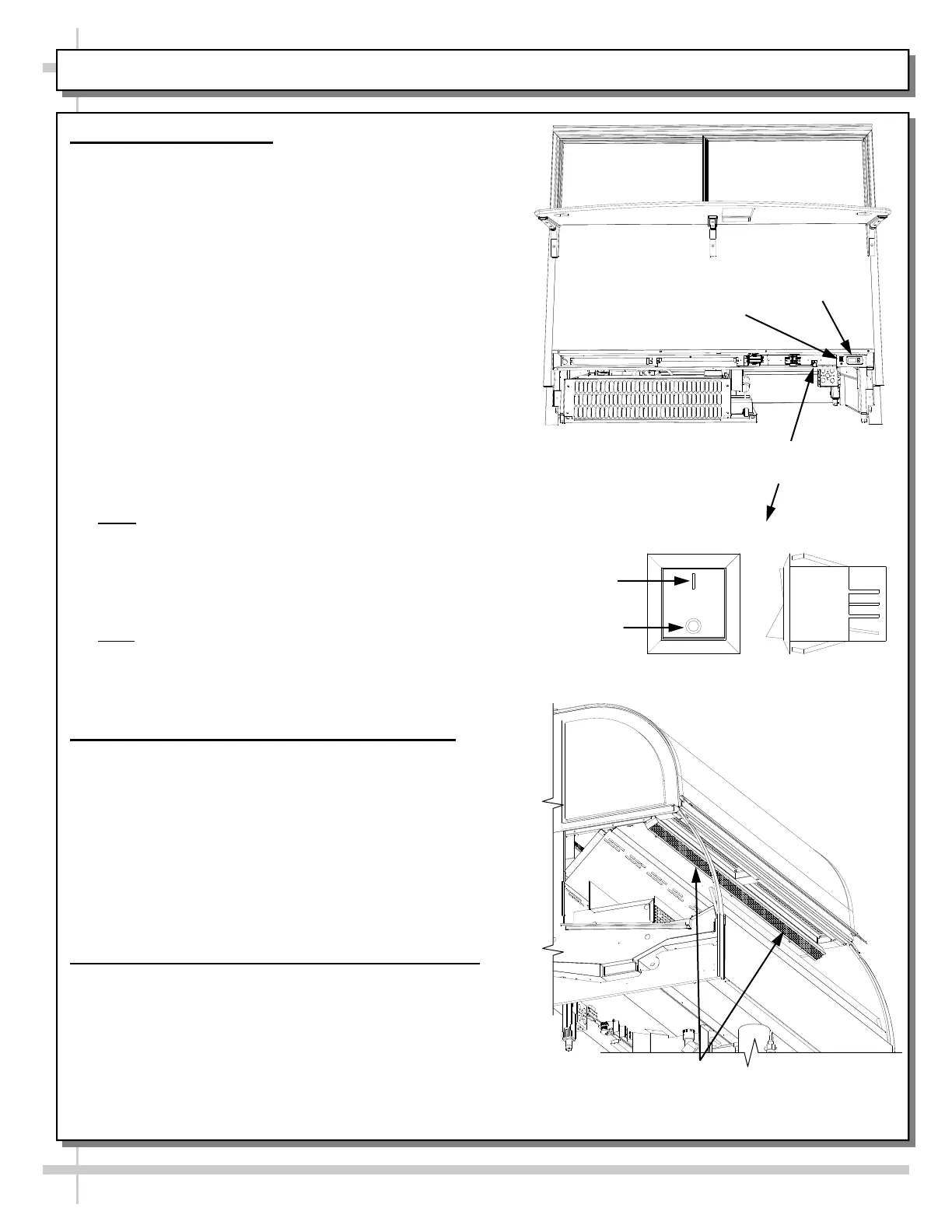
Turn main power on. Switch (220V) is up and
under rear raceway on right side of case.
The Controller display will illuminate.
Coil fans should turn on. From inside case, check
for discharge air from front baffle to confirm that
fans are functioning properly.
When the case is in a start up mode or has been
idle for a long period of time, the unit will require
75 minutes in order to pull-down temperature.
Self-Contained refrigerated cases must maintain
front airflow clearance of approximately twelve
inches and rear airflow clearance of approximately
six inches.
Obstruction / restriction of air voids warranty.
The interior case temperature is to reach 2 °C /
35 °F to 5 °C / 41 °F.
Note: Case temperature is set at the factory, as
determined by the case size. Temperature is
controlled by a thermostat.
If a temperature setting change is required, refer
to the Temperature Controller section of this
operating manual.
Note: According to product displayed, Set point
should be -6 °C / 22 °F to -3 °C / 26° F. This will
maintain the product temperature range. Settings
lower than this can cause product to freeze
.
2. Set Point & Differential Adjustment Guideline
Caution! The Differential MUST be adjusted
either up or down in tandem with the Set point.
For example, if the Set point is raised from 22 °F
to 26 °F (a 4 °F increase), the Differential must
also be raised by 4 °F from (11 °F to 15 °F).
Keeping the Set point and Differential
temperatures ‘in tandem’ will maintain product
temperature and prevent excessive compressor
cycles.
3. See Next Page For Fluorescent Light Guidelines
OFF
ON
Rocker Switch
Controller
Display
Main Power Switch
(access at underside)
Light Switch
Honeycomb Air Diffuser. See PREVENTIVE MAINTENANCE -
HONEYCOMB AIR DIFFUSERS [SERVICE TECHNICIANS
ONLY] section in this manual for cleaning instructions.









 To Next Page