9
MAINTENANCE AND OPERATION
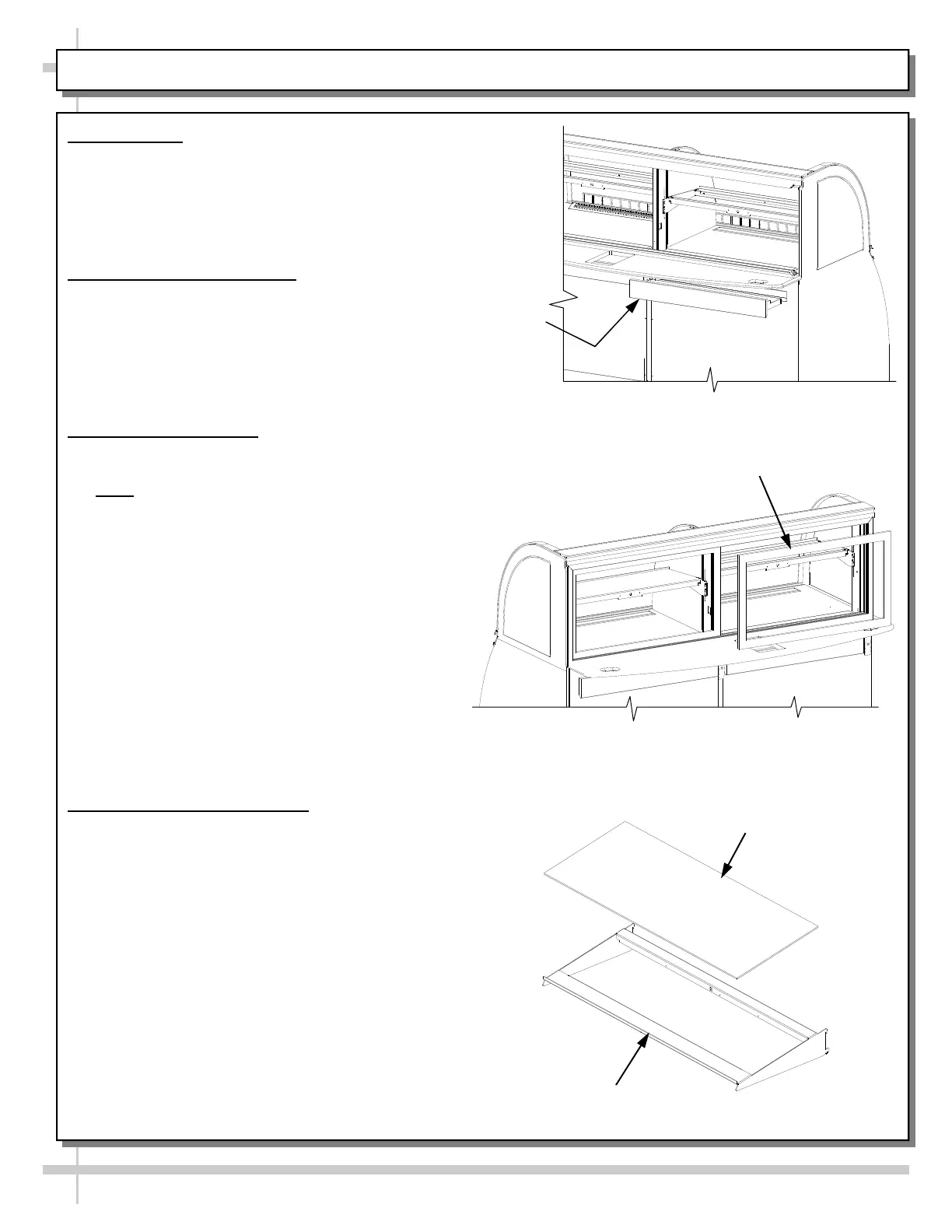
1. Crumb Tray
Located in back of case under ledge.
Pull out to empty and clean. Replace
promptly.
Note: Make sure drawer is pushed in tight to
maintain refrigeration efficiency.
2. Removing the Rear Doors
Move the rear doors toward the center of the
case.
Individually lift each door up into the upper
door frame track at the top of the case.
Pivot the bottom of the door out.
Slip out of the upper door frame track.
3. Installing Rear Doors
Doors are not interchangeable, and must be
installed as labeled.
Note: Doors are labeled in the lower
corners to identify their proximity to the
interior of the case (inner or outer door).
Inner door must be installed first in the inner
door track.
Insure that the door pull handle is to the
outside and to the left of the case.
Insert the door into the upper inside track and
lower door onto the inside lower track.
Move inner door to the left.
Install the outer door with the door pull handle
to the right and the chrome door stop to the
inside lower right.
Insert the door into the upper and outer track
and lower door onto the outer lower track.
4. Removing Interior Shelving
Remove any product from the display area.
Remove the ABS shelving.
Turn off light switch prior to unplugging shelf
light.
Unplug shelf light.
Remove the complete shelf assembly
Use even upward pressure to disengage
the shelf assembly support brackets from
the adjustment slots.
Crumb
Tray
Right Hand or Outer Door must
come out first and go back in last.
ABS Shelf
Shelf Light Assembly









 To Next Page