Conduit - MIDI Hub
pg 15
Using Conduit with a Computer
Conduit can also be used as a MIDI interface to connect devices to
your computer by using the included USB C cable.
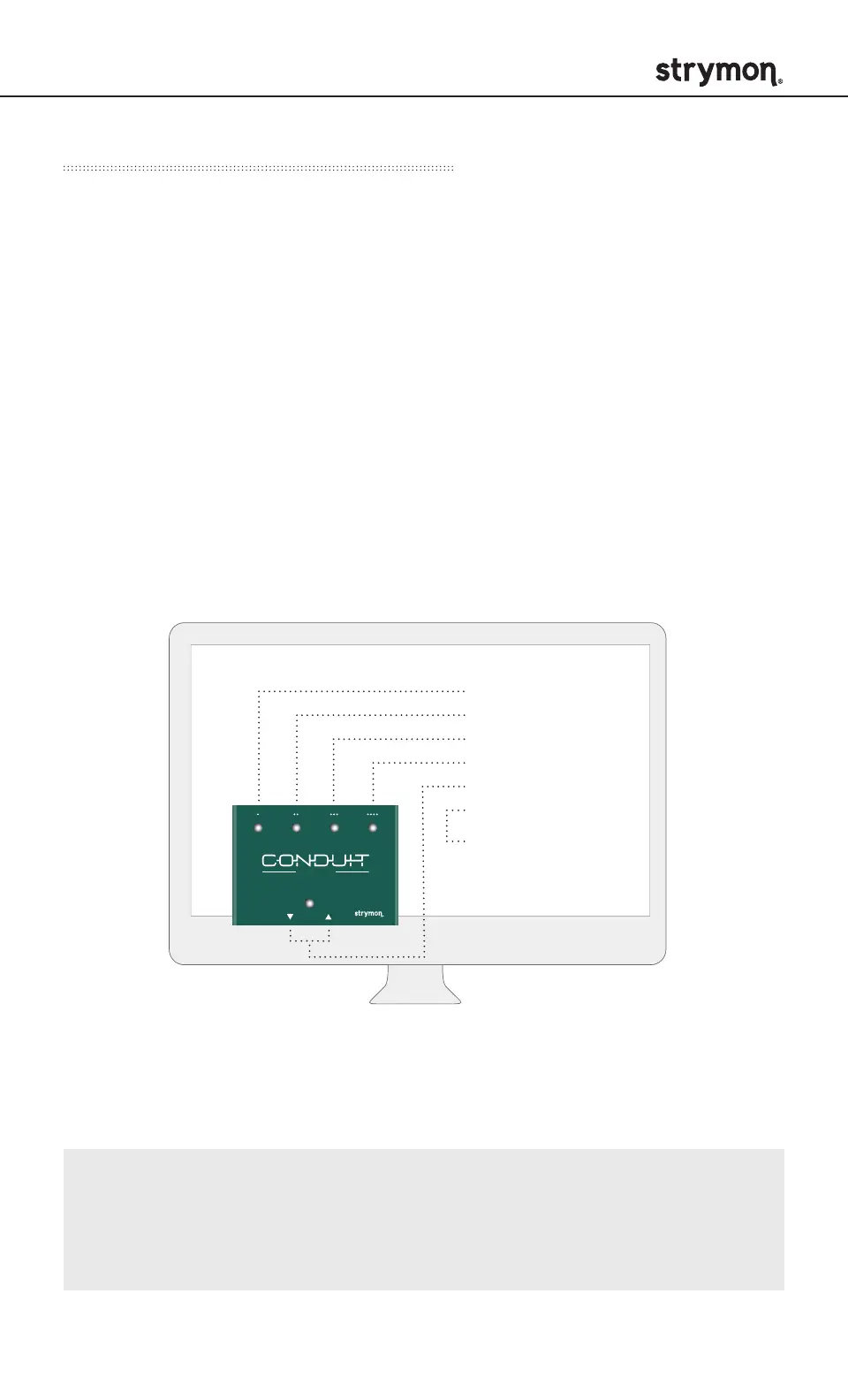
When USB is connected, the computer will recognize 6 MIDI I/O
ports, allowing bidirectional communication with each connected
device.
• Conduit MIDI Ports 1-4 correspond with the 1/4" TRS jacks
numbered 1-4.
• Conduit MIDI Port 5 corresponds with the 5-pin DIN MIDI IN/
MIDI OUT ports.
• Conduit MIDI Port 6 will appear as a background USB
communication port.
The diagram above shows how the MIDI ports corresponding to each of
the devices connected to Conduit will show up in your computer/DAW.
Note: All 1/4" MIDI enabled Strymon pedals support bidirectional
MIDI communication. Check strymon.net/support/conduit to see
which non-Strymon 1/4" MIDI enabled pedals support bidirectional
MIDI communication.
Port 6 is used for
remote configuration
of TRS jacks.
See page 16 for details.
MIDI PORTS
• Conduit (PORT 1)
• Conduit (PORT 2)
• Conduit (PORT 3)
• Conduit (PORT 4)
• Conduit (PORT 5)
• Conduit (PORT 6)
MIDI hubMIDI hub


 To Next Page