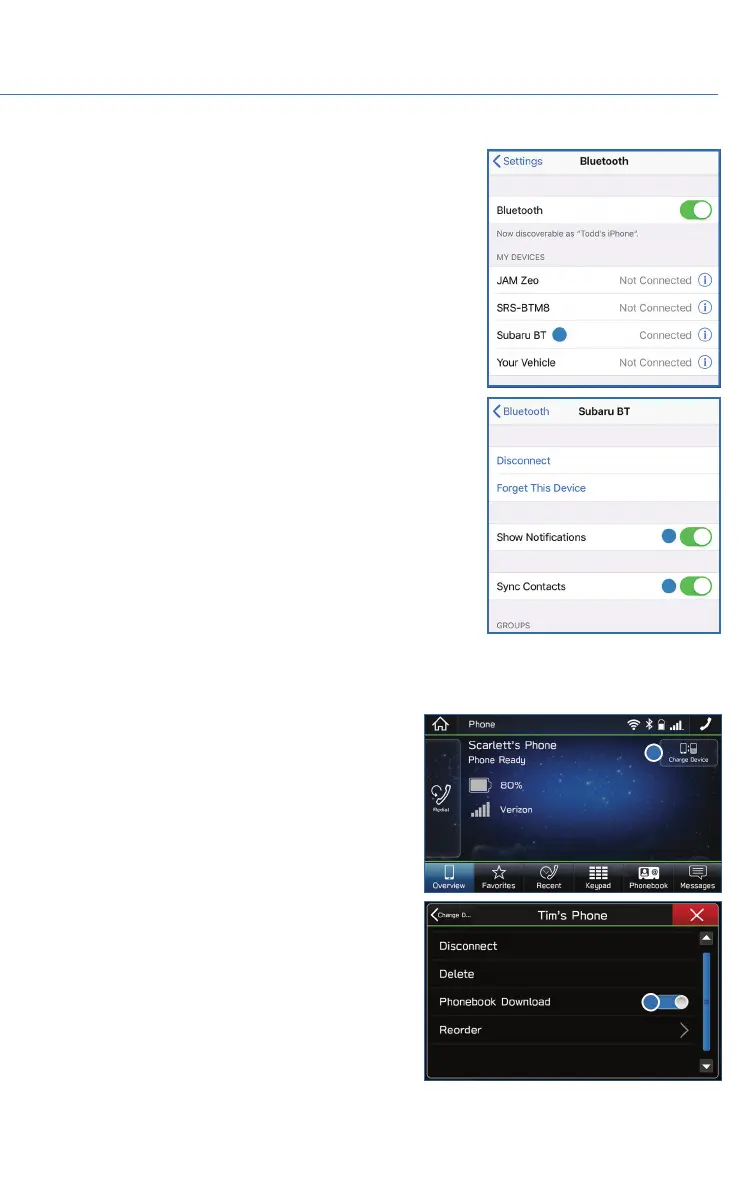
9. On your iOS/Apple device, SubaruBT should now be
listed under “Bluetooth Settings”. Select the blue “i”
next to the device name. Then ensure “Show
Notifications” and “Sync Contacts” are enabled.
10. Your iOS/Apple device is now paired. It is recommended that you restart your Subaru
to complete the process and ensure everything is fully synced.
11. If your phonebook or messages are not
appearing, press the “Phone” icon on the
vehicle screen. Next, select “Change
Device” under “Overview” and ensure the
“Phonebook Download” is enabled.
HOW TO APPENDIX
101















 To Next Page