CREATING A DRIVER PROFILE
Creating a Driver Profile provides many benefits beyond just pairing a phone. The profile
records and remembers station presets, sound preferences, home and work address (if
equipped with navigation), phone favorites, screen icons and placement, and the
background wallpaper.
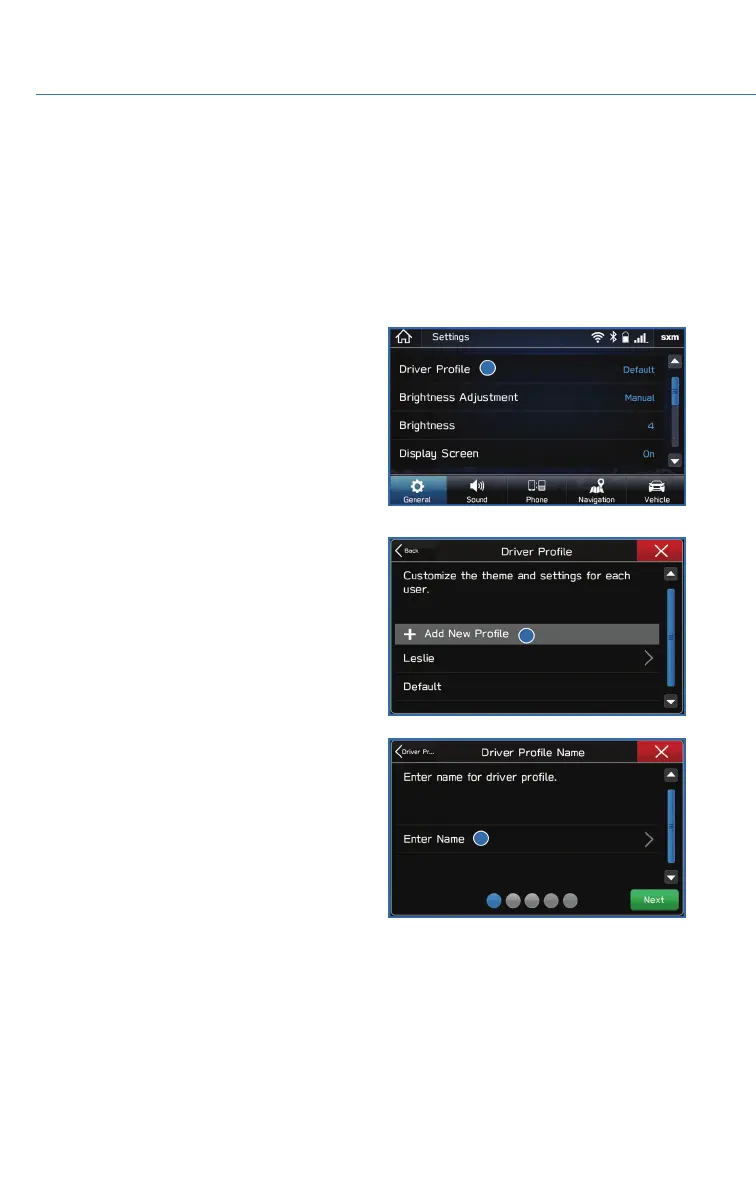
To create a driver profile:
1. From the Home screen, select “Settings”
then “Driver Profile”.
2. Select “Add New Profile”.
3. Select “Enter Name” to display the
keyboard screen then type your name. Now
select “Next” on this screen and the
following screen.
DRIVER PROFILE
56















 To Next Page