BLUETOOTH
®
PAIRING
Pairing an Android Device
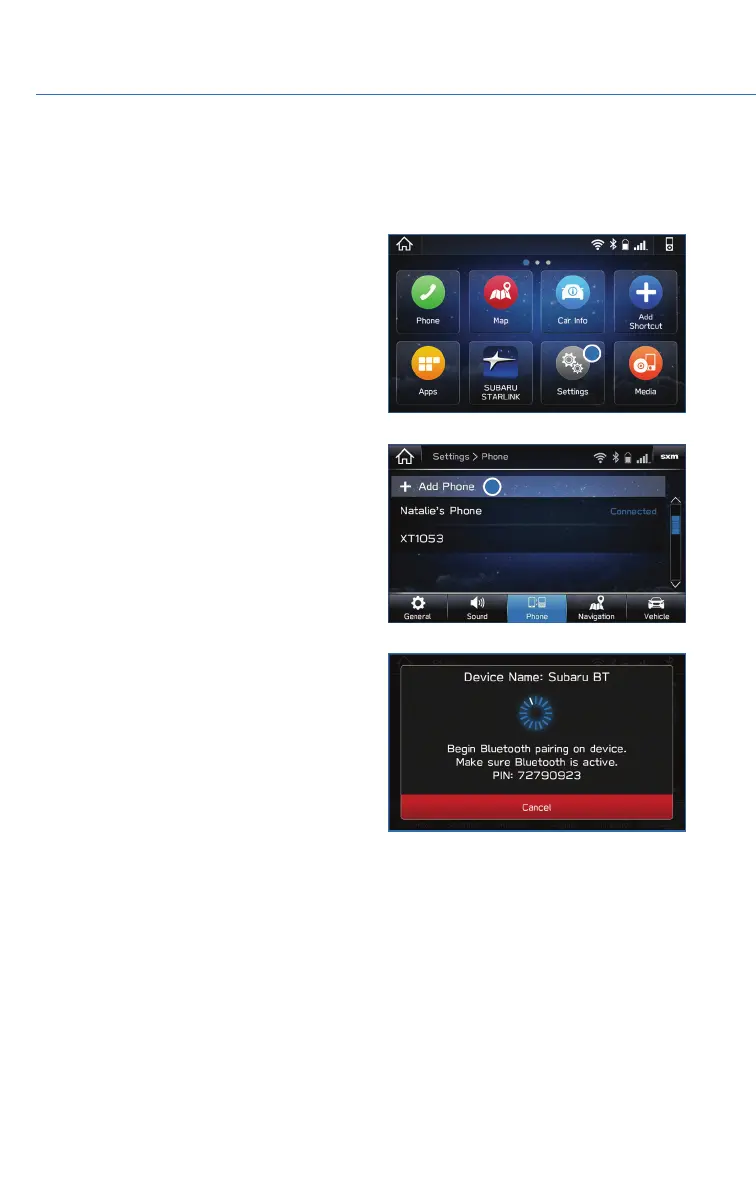
1. Start by selecting “Settings” on the Home
screen.
2. Select the Phone menu, then select “Add
Device” / “Add Phone”.
3. This screen will be displayed when pairing
mode is in progress. The device name will
most likely be Subaru BT, but be sure to
make note of what name it is, so you can
find it on your phone.
HOW TO APPENDIX
94















 To Next Page