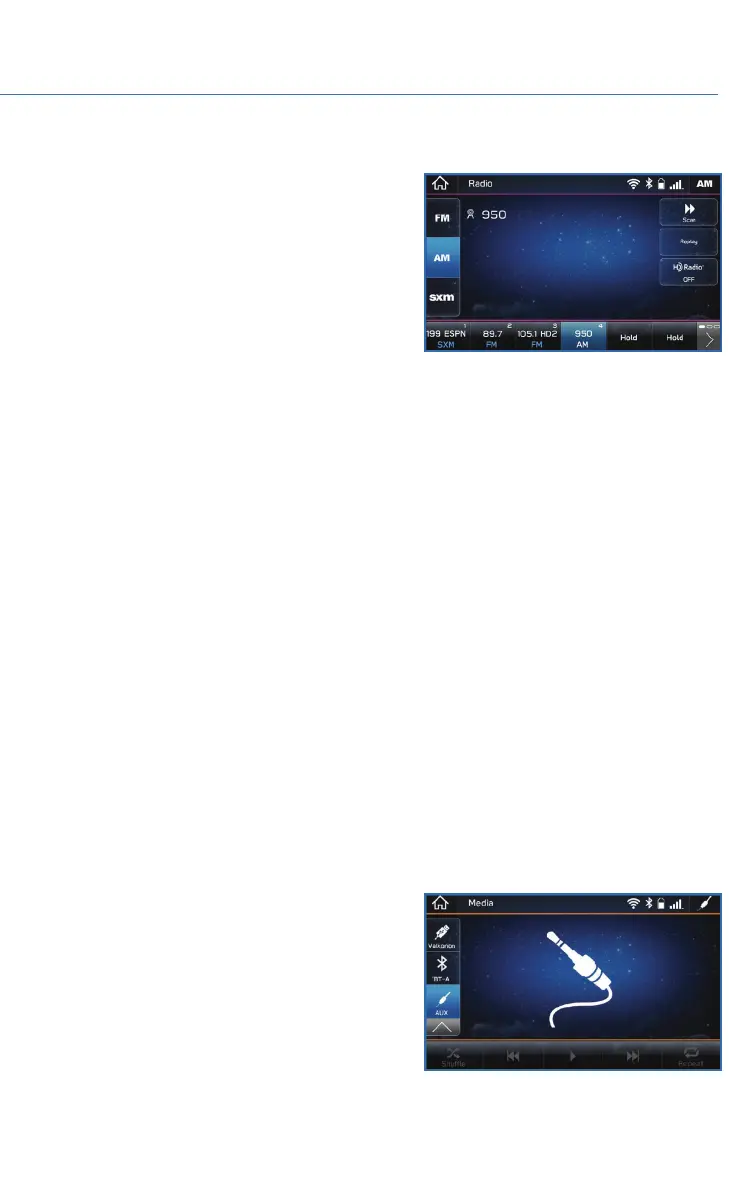
Presets
You can preset 18 stations. Presets can be set
for SiriusXM
®
, FM, or AM stations, allowing
you to switch among the three with the press
of a single button. To preset a radio station:
1. Tune to the desired channel.
2. Press and hold the desired preset station
button at the bottom of the screen.
MEDIA
Bluetooth
®
Your Subaru has Bluetooth
®
hands-free technology to manage your phone and audio
systems. Bluetooth
®
-enabled mobile phones link directly through your Touchscreen
automatically once connected. Bluetooth
®
Hands-free allows you to receive and initiate
calls, or play music directly from your device while keeping it stowed for safety.
For step-by-step instructions on how to pair a Bluetooth
®
device to the Touchscreen,
please see page 94 for Android devices or page 98 for Apple devices. A QR code and link
to more information on pairing a Bluetooth
®
device can also be found on page 60.
CD (if equipped)
The CD player holds a single disc. To access the CD menu, put a CD in the player or select
the CD icon on the “Media” Screen. Depending on the CD format, the CD album art work
may appear on the Touchscreen.
USB / iPod
You can plug in a USB memory storage device or iPod into the USB ports. This will bring
up the media screen with controls. If using an iPod, make sure to use an Apple certified
cable or MFi certified cable for proper operation.
Aux Input
The Aux jack is a port that allows input from an
audio device such as MP3 players, portable
music players, and iPods. To access the Aux
menu, plug in the device to the Aux jack and
the menu will appear, or select the Aux menu
from the “Media” Screen.
MULTIMEDIA
59















 To Next Page