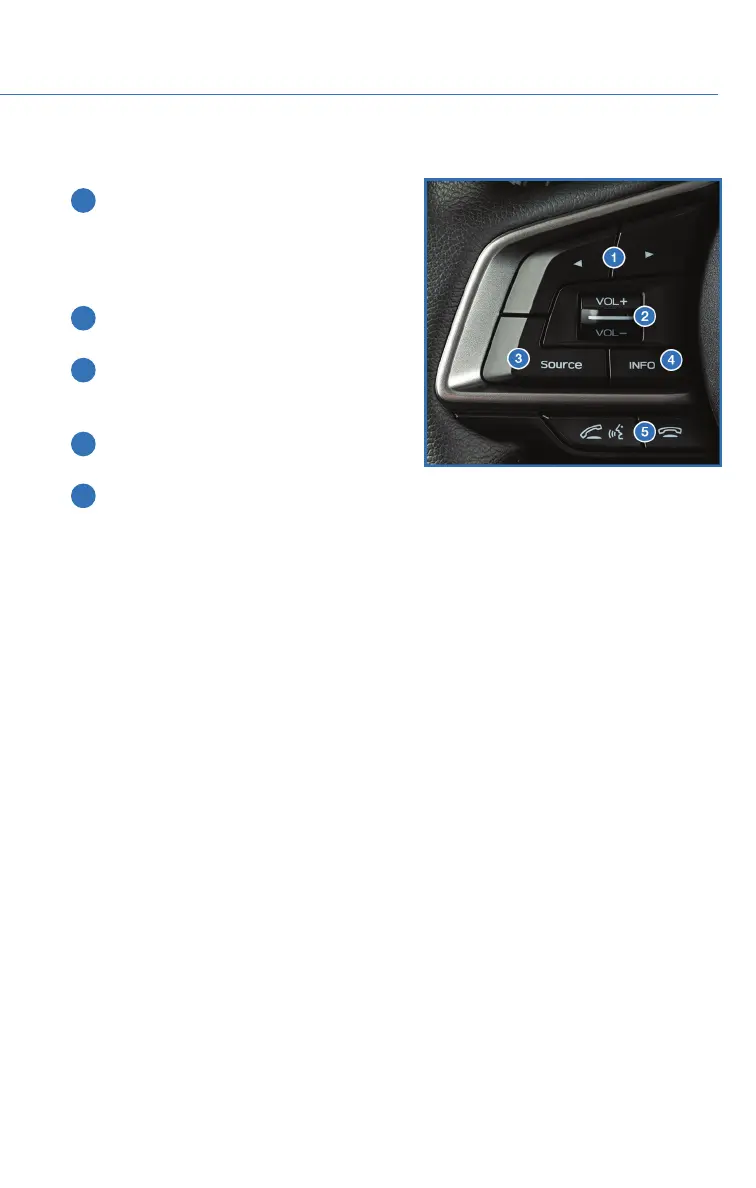
STEERING WHEEL CONTROLS
1 Presets/Skip: Press to toggle through
your preset radio stations or change a
track/media file. Press and hold to scan
radio stations or fast-forward/rewind
media files.
2 Volume: Push the switch up/down to
increase/decrease volume.
3 Source: Press the source button to
change the audio sources between radio
modes and media modes.
4 INFO: Press to operate the Multi Function
Display.
5 Call/Voice Recognition: Press to
receive/end a call without taking your
hands off the steering wheel. Press the talk button to start voice recognition. If
connected to an iPhone, press and hold the talk button to initiate Siri.
Starlink Audio Controls
STARLINK OVERVIEW
51















 To Next Page