TEXT MESSAGES
Received messages can be forwarded from
the connected Bluetooth
®
phone, enabling
checking and replying using the system. To
use this function, it is necessary to set the
phonebook download function to ON. When a
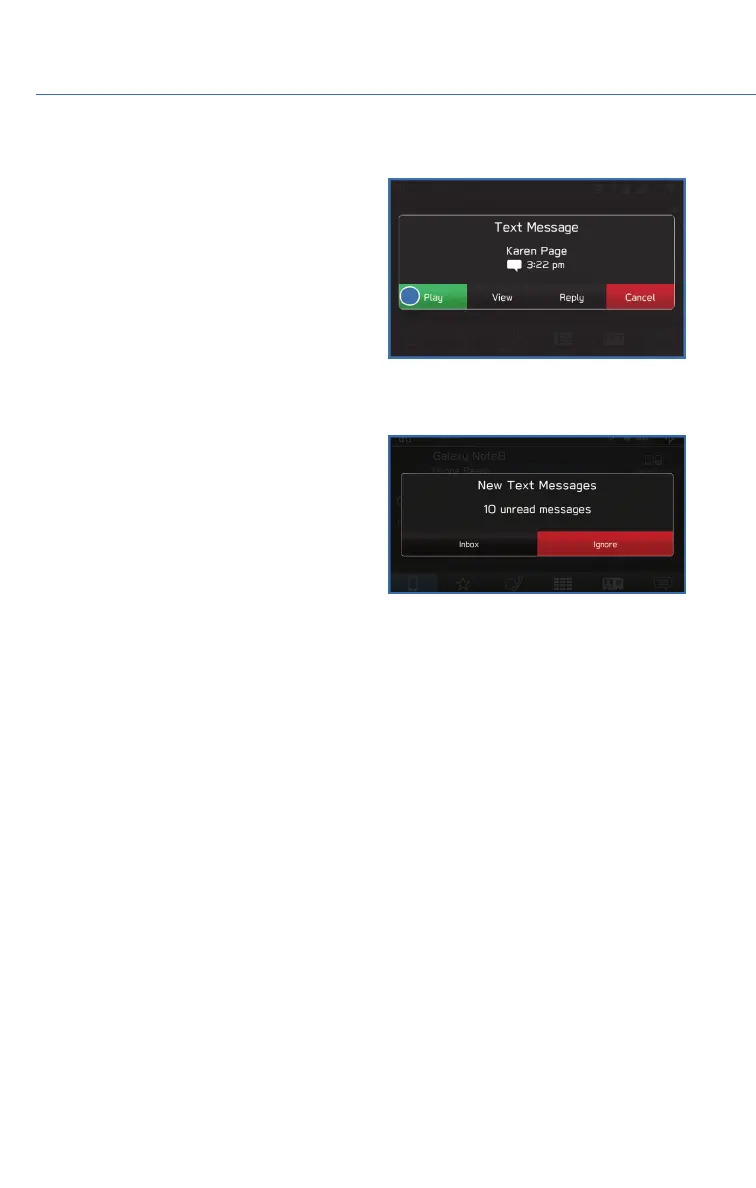
Short Message Service (SMS)/ Multimedia
Messaging Service (MMS) is received, the
incoming message screen pops up with sound
and is ready to be retrieved using the
Touchscreen. Select “Play” to listen to the message or “View” to see the message on the
screen. This button may not be available if the vehicle is moving.
If there is more than one unread message, a
screen will appear allowing you to either view
your inbox or ignore the message.
Depending on the type of Bluetooth
®
phone
connected, received messages may not be
transferred to the message inbox. If the phone
does not support the message function, this
function cannot be used.
Depending on the Bluetooth
®
phone type, the screen display may differ, and it may not be
possible to use certain functions.
PHONE
62















 To Next Page