MAPS (if equipped)
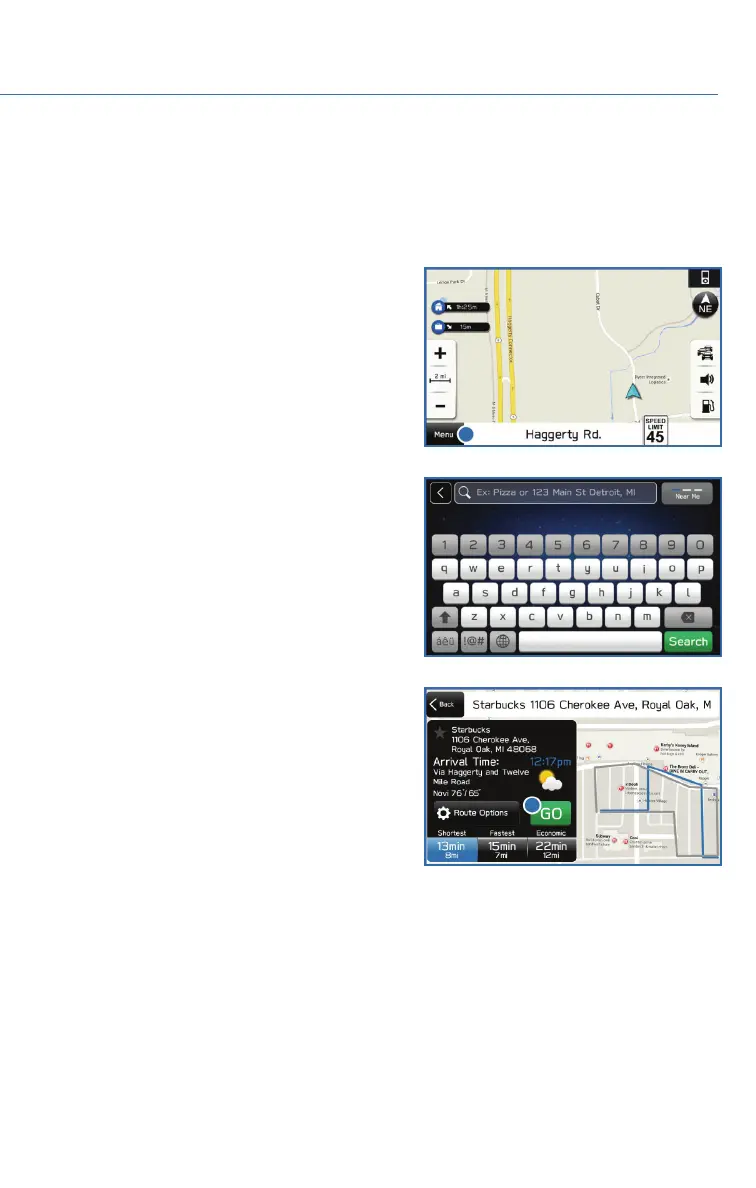
Finding a Destination by Address
To search by address:
1. Start by pushing the “Map” button to
display the map screen. Then, select
“Menu”. Next select “Search by Destination
Enter Address”.
2. The keypad screen displays. As you type
the address or name of the destination,
suggestions will display. Select the desired
destination.
3. The route calculation screen displays three
recommended routes at the bottom left of
the screen. Select the desired route, then
select “GO”. You can also press and hold
the route on the map to begin navigation.
HOW TO APPENDIX
109















 To Next Page