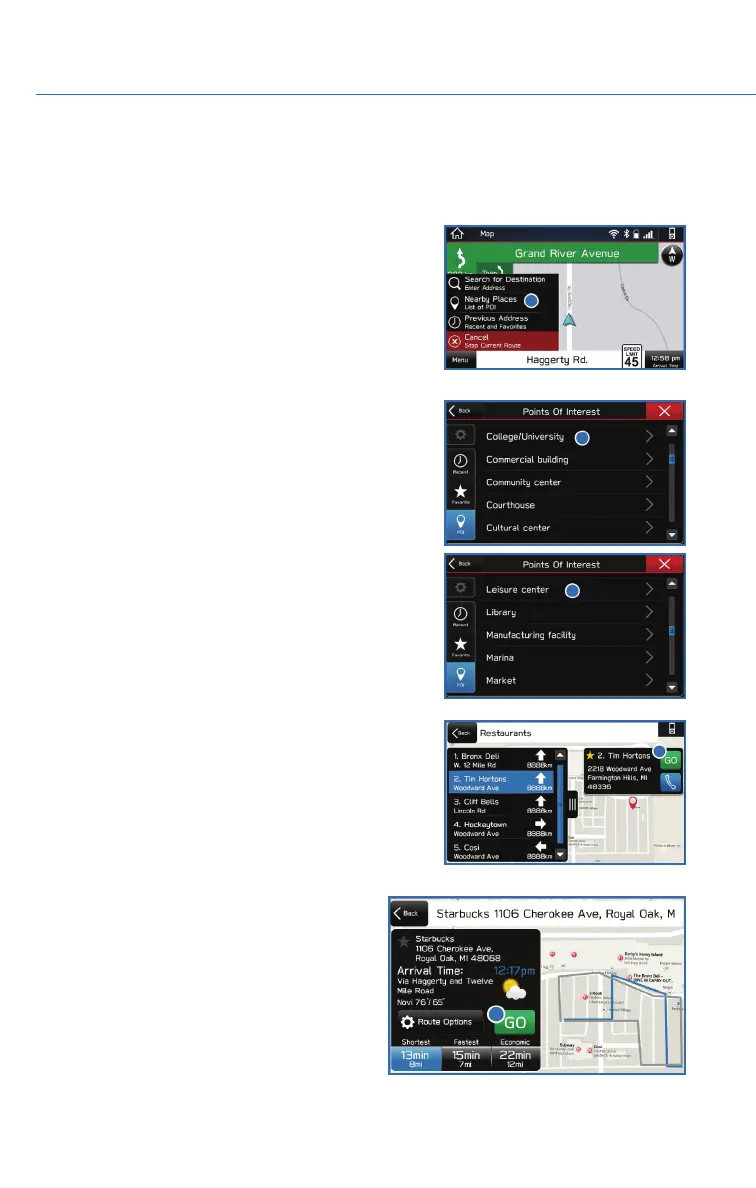
Finding a Destination by POI
To search by Points Of Interest (POI):
1. Push the “Map” button to display the map screen.
Then, select “Menu”, followed by “Nearby Places
List of POI”.
2. Categories are listed alphabetically. Use the scroll
bar on the right, if needed, to display more
categories, then make your selection.
3. Select the desired item from the list, then select
“GO”.
4. The route calculation screen displays three
recommended routes at the bottom left of
the screen. Select the desired route, then
select “GO”. You can also press and hold
the route on the map to begin navigation.
HOW TO APPENDIX
110















 To Next Page