Compatible Models
For a list of all the Apple phones that are compatible with Apple
CarPlay, visit: www.apple.com/ios/carplay/
WI-FI
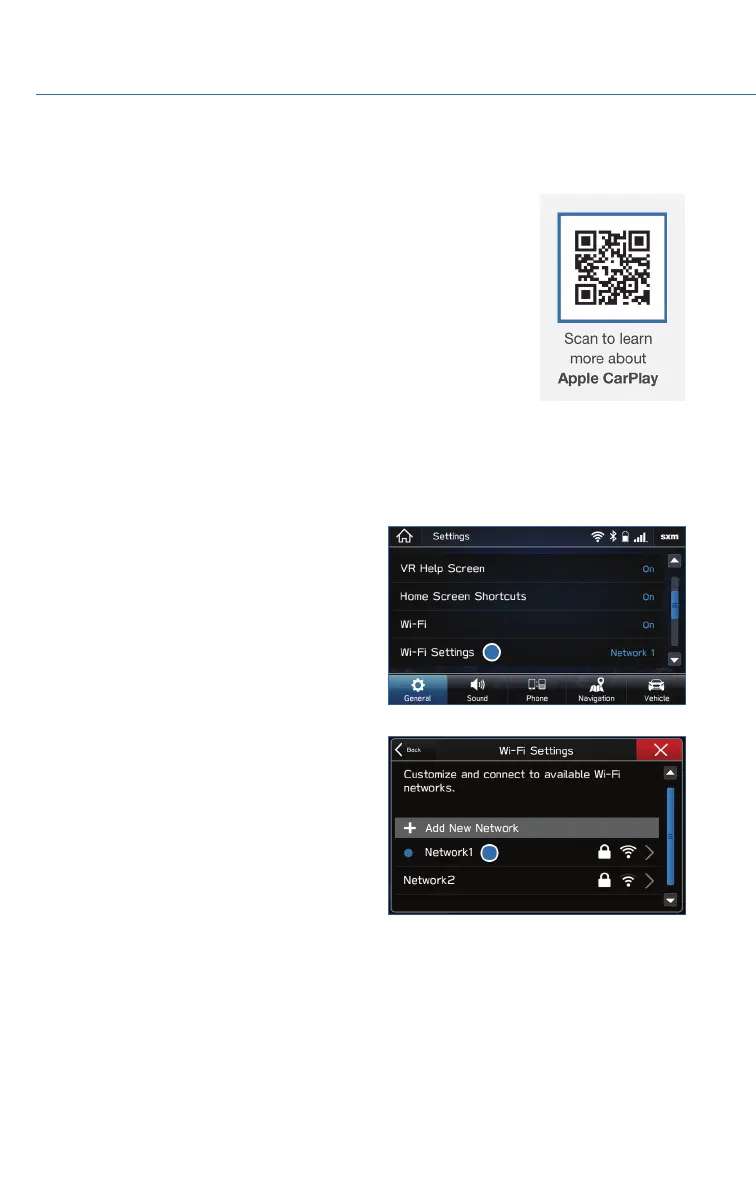
Connecting to a Wi-Fi Network
1. Display the General Settings screen by
pressing the “Home” button, then select
“Settings”. Make sure Wi-Fi is on.
2. Under the “General” tab, select “Wi-Fi
Settings”.
3. Select the desired network. If the network is
a secure network, a lock symbol appears
on the right side of the screen. If you are
connecting to a secure network, enter the
password and select “Join”.
HOW TO APPENDIX
106















 To Next Page