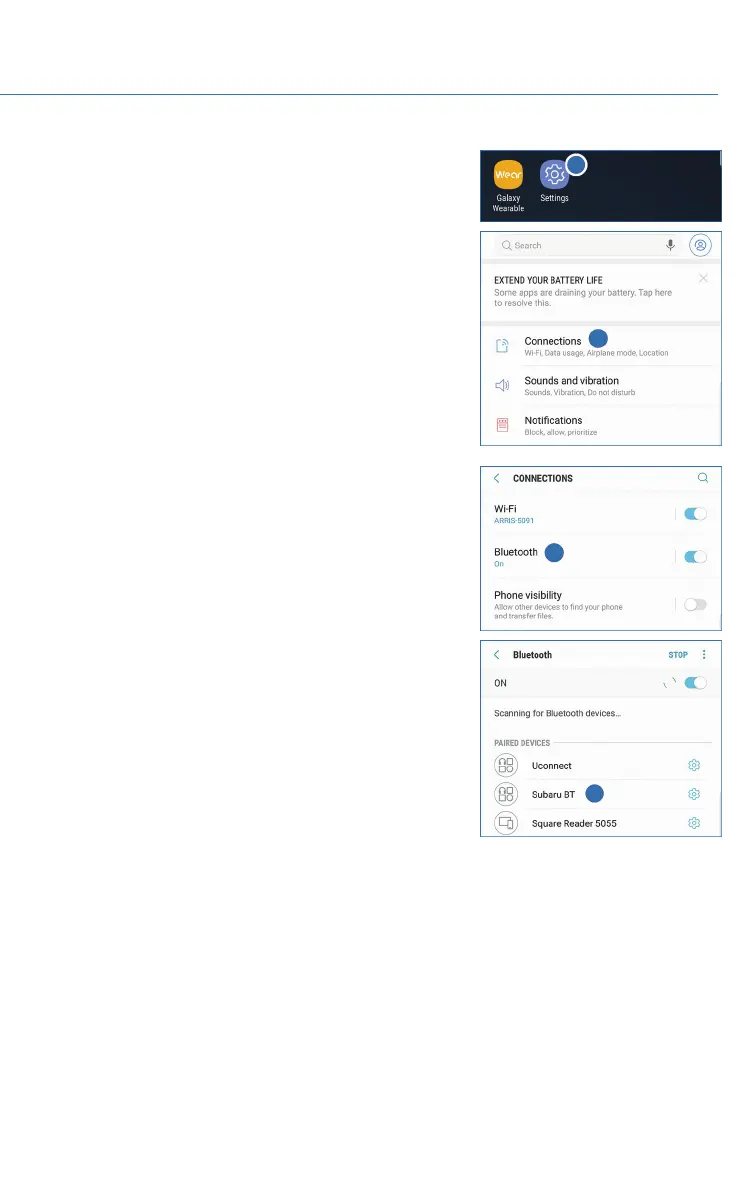
4. On your Android device, go to “Settings”. (It can be
found under apps.) Then select “Connected
Devices” or “Connections”.
5. Now select “Bluetooth”. This will show a screen to
“Pair New Device” or it will be showing the nearby
devices to add. Select “Subaru BT” if shown on the
list or “Pair New Device”.
HOW TO APPENDIX
95















 To Next Page